


More on Society & Culture
Isaiah McCall
3 years ago
Is TikTok slowly destroying a new generation?
It's kids' digital crack

TikTok is a destructive social media platform.
The interface shortens attention spans and dopamine receptors.
TikTok shares more data than other apps.
Seeing an endless stream of dancing teens on my glowing box makes me feel like a Blade Runner extra.
TikTok did in one year what MTV, Hollywood, and Warner Music tried to do in 20 years. TikTok has psychotized the two-thirds of society Aldous Huxley said were hypnotizable.
Millions of people, mostly kids, are addicted to learning a new dance, lip-sync, or prank, and those who best dramatize this collective improvisation get likes, comments, and shares.
TikTok is a great app. So what?
The Commercial Magnifying Glass TikTok made me realize my generation's time was up and the teenage Zoomers were the target.
I told my 14-year-old sister, "Enjoy your time under the commercial magnifying glass."
TikTok sells your every move, gesture, and thought. Data is the new oil. If you tell someone, they'll say, "Yeah, they collect data, but who cares? I have nothing to hide."
It's a George Orwell novel's beginning. Look up Big Brother Award winners to see if TikTok won.

TikTok shares your data more than any other social media app, and where it goes is unclear. TikTok uses third-party trackers to monitor your activity after you leave the app.
Consumers can't see what data is shared or how it will be used. — Genius URL
32.5 percent of Tiktok's users are 10 to 19 and 29.5% are 20 to 29.
TikTok is the greatest digital marketing opportunity in history, and they'll use it to sell you things, track you, and control your thoughts. Any of its users will tell you, "I don't care, I just want to be famous."
TikTok manufactures mental illness
TikTok's effect on dopamine and the brain is absurd. Dopamine controls the brain's pleasure and reward centers. It's like a switch that tells your brain "this feels good, repeat."
Dr. Julie Albright, a digital culture and communication sociologist, said TikTok users are "carried away by dopamine." It's hypnotic, you'll keep watching."
TikTok constantly releases dopamine. A guy on TikTok recently said he didn't like books because they were slow and boring.
The US didn't ban Tiktok.
Biden and Trump agree on bad things. Both agree that TikTok threatens national security and children's mental health.
The Chinese Communist Party owns and operates TikTok, but that's not its only problem.
There’s borderline child porn on TikTok
It's unsafe for children and violated COPPA.
It's also Chinese spyware. I'm not a Trump supporter, but I was glad he wanted TikTok regulated and disappointed when he failed.
Full-on internet censorship is rare outside of China, so banning it may be excessive. US should regulate TikTok more.
We must reject a low-quality present for a high-quality future.
TikTok vs YouTube
People got mad when I wrote about YouTube's death.
They didn't like when I said TikTok was YouTube's first real challenger.
Indeed. TikTok is the fastest-growing social network. In three years, the Chinese social media app TikTok has gained over 1 billion active users. In the first quarter of 2020, it had the most downloads of any app in a single quarter.
TikTok is the perfect social media app in many ways. It's brief and direct.
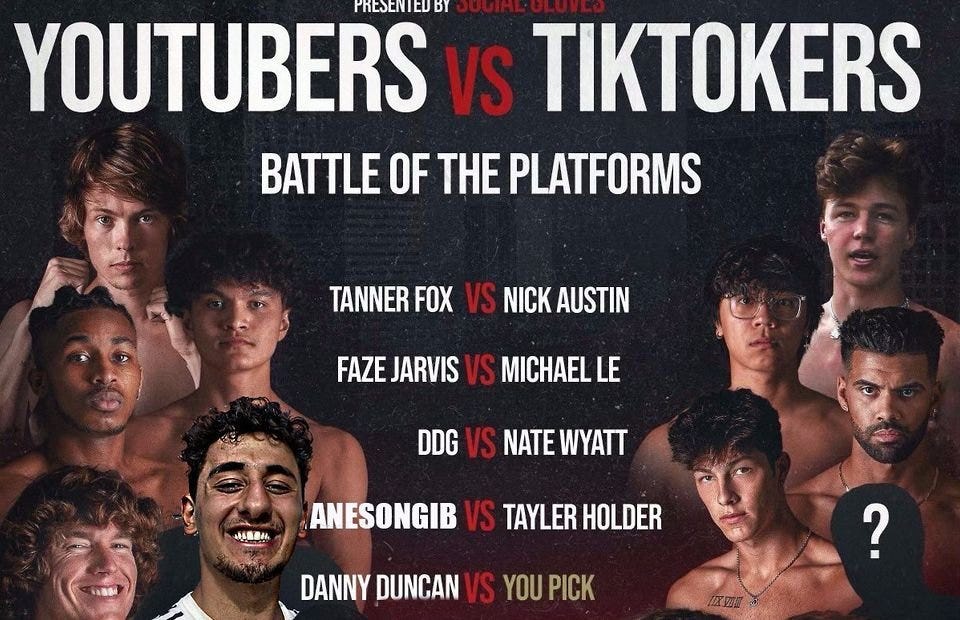
Can you believe they had a YouTube vs TikTok boxing match? We are doomed as a species.
YouTube hosts my favorite videos. That’s why I use it. That’s why you use it. New users expect more. They want something quicker, more addictive.
TikTok's impact on other social media platforms frustrates me. YouTube copied TikTok to compete.
It's all about short, addictive content.
I'll admit I'm probably wrong about TikTok. My friend says his feed is full of videos about food, cute animals, book recommendations, and hot lesbians.
Whatever.
TikTok makes us bad
TikTok is the opposite of what the Ancient Greeks believed about wisdom.
It encourages people to be fake. It's like a never-ending costume party where everyone competes.
It does not mean that Gen Z is doomed.
They could be the saviors of the world for all I know.
TikTok feels like a step towards Mike Judge's "Idiocracy," where the average person is a pleasure-seeking moron.
Andy Walker
3 years ago
Why personal ambition and poor leadership caused Google layoffs
Google announced 6% layoffs recently (or 12,000 people). This aligns it with most tech companies. A publicly contrite CEO explained that they had overhired during the COVID-19 pandemic boom and had to address it, but they were sorry and took full responsibility. I thought this was "bullshit" too. Meta, Amazon, Microsoft, and others must feel similarly. I spent 10 years at Google, and these things don't reflect well on the company's leaders.
All publicly listed companies have a fiduciary duty to act in the best interests of their shareholders. Dodge vs. Ford Motor Company established this (1919). Henry Ford wanted to reduce shareholder payments to offer cheaper cars and better wages. Ford stated.
My ambition is to employ still more men, to spread the benefits of this industrial system to the greatest possible number, to help them build up their lives and their homes. To do this we are putting the greatest share of our profits back in the business.
The Dodge brothers, who owned 10% of Ford, opposed this and sued Ford for the payments to start their own company. They won, preventing Ford from raising prices or salaries. If you have a vocal group of shareholders with the resources to sue you, you must prove you are acting in their best interests. Companies prioritize shareholders. Giving activist investors a stick to threaten you almost enshrines short-term profit over long-term thinking.
This underpins Google's current issues. Institutional investors who can sue Google see it as a wasteful company they can exploit. That doesn't mean you have to maximize profits (thanks to those who pointed out my ignorance of US corporate law in the comments and on HN), but it allows pressure. I feel for those navigating this. This is about unrestrained capitalism.
When Google went public, Larry Page and Sergey Brin knew the risks and worked hard to keep control. In their Founders' Letter to investors, they tried to set expectations for the company's operations.
Our long-term focus as a private company has paid off. Public companies do the same. We believe outside pressures lead companies to sacrifice long-term opportunities to meet quarterly market expectations.
The company has transformed since that letter. The company has nearly 200,000 full-time employees and a trillion-dollar market cap. Large investors have bought company stock because it has been a good long-term bet. Why are they restless now?
Other big tech companies emerged and fought for top talent. This has caused rising compensation packages. Google has also grown rapidly (roughly 22,000 people hired to the end of 2022). At $300,000 median compensation, those 22,000 people added $6.6 billion in salary overheads in 2022. Exorbitant. If the company still makes $16 billion every quarter, maybe not. Investors wonder if this value has returned.
Investors are right. Google uses people wastefully. However, by bluntly reducing headcount, they're not addressing the root causes and hurting themselves. No studies show that downsizing this way boosts productivity. There is plenty of evidence that they'll lose out because people will be risk-averse and distrust their leadership.
The company's approach also stinks. Finding out that you no longer have a job because you can’t log in anymore (sometimes in cases where someone is on call for protecting your production systems) is no way to fire anyone. Being with a narcissistic sociopath is like being abused. First, you receive praise and fancy perks for making the cut. You're fired by text and ghosted. You're told to appreciate the generous severance package. This firing will devastate managers and teams. This type of firing will take years to recover self-esteem. Senior management contributed to this. They chose the expedient answer, possibly by convincing themselves they were managing risk and taking the Macbeth approach of “If it were done when ’tis done, then ’twere well It were done quickly”.
Recap. Google's leadership did a stupid thing—mass firing—in a stupid way. How do we get rid of enough people to make investors happier? and "have 6% less people." Empathetic leaders should not emulate Elon Musk. There is no humane way to fire 12,000 people, but there are better ways. Why is Google so wasteful?
Ambition answers this. There aren't enough VP positions for a group of highly motivated, ambitious, and (increasingly) ruthless people. I’ve loitered around the edges of this world and a large part of my value was to insulate my teams from ever having to experience it. It’s like Game of Thrones played out through email and calendar and over video call.
Your company must look a certain way to be promoted to director or higher. You need the right people at the right levels under you. Long-term, growing your people will naturally happen if you're working on important things. This takes time, and you're never more than 6–18 months from a reorg that could start you over. Ambitious people also tend to be impatient. So, what do you do?
Hiring and vanity projects. To shape your company, you hire at the right levels. You value vanity metrics like active users over product utility. Your promo candidates get through by subverting the promotion process. In your quest for growth, you avoid performance managing people out. You avoid confronting toxic peers because you need their support for promotion. Your cargo cult gets you there.
Its ease makes Google wasteful. Since they don't face market forces, the employees don't see it as a business. Why would you do when the ads business is so profitable? Complacency causes senior leaders to prioritize their own interests. Empires collapse. Personal ambition often trumped doing the right thing for users, the business, or employees. Leadership's ambition over business is the root cause. Vanity metrics, mass hiring, and vague promises have promoted people to VP. Google goes above and beyond to protect senior leaders.
The decision-makers and beneficiaries are not the layoffees. Stock price increase beneficiaries. The people who will post on LinkedIn how it is about misjudging the market and how they’re so sorry and take full responsibility. While accumulating wealth, the dark room dwellers decide who stays and who goes. The billionaire investors. Google should start by addressing its bloated senior management, but — as they say — turkeys don't vote for Christmas. It should examine its wastefulness and make tough choices to fix it. A 6% cut is a blunt tool that admits you're not running your business properly. why aren’t the people running the business the ones shortly to be entering the job market?
This won't fix Google's wastefulness. The executives may never regain trust after their approach. Suppressed creativity. Business won't improve. Google will have lost its founding vision and us all. Large investors know they can force Google's CEO to yield. The rich will get richer and rationalize leaving 12,000 people behind. Cycles repeat.
It doesn’t have to be this way. In 2013, Nintendo's CEO said he wouldn't fire anyone for shareholders. Switch debuted in 2017. Nintendo's stock has increased by nearly five times, or 19% a year (including the drop most of the stock market experienced last year). Google wasted 12,000 talented people. To please rich people.

Max Chafkin
3 years ago
Elon Musk Bets $44 Billion on Free Speech's Future
Musk’s purchase of Twitter has sealed his bond with the American right—whether the platform’s left-leaning employees and users like it or not.
Elon Musk's pursuit of Twitter Inc. began earlier this month as a joke. It started slowly, then spiraled out of control, culminating on April 25 with the world's richest man agreeing to spend $44 billion on one of the most politically significant technology companies ever. There have been bigger financial acquisitions, but Twitter's significance has always outpaced its balance sheet. This is a unique Silicon Valley deal.
To recap: Musk announced in early April that he had bought a stake in Twitter, citing the company's alleged suppression of free speech. His complaints were vague, relying heavily on the dog whistles of the ultra-right. A week later, he announced he'd buy the company for $54.20 per share, four days after initially pledging to join Twitter's board. Twitter's directors noticed the 420 reference as well, and responded with a “shareholder rights” plan (i.e., a poison pill) that included a 420 joke.
Musk - Patrick Pleul/Getty Images
No one knew if the bid was genuine. Musk's Twitter plans seemed implausible or insincere. In a tweet, he referred to automated accounts that use his name to promote cryptocurrency. He enraged his prospective employees by suggesting that Twitter's San Francisco headquarters be turned into a homeless shelter, renaming the company Titter, and expressing solidarity with his growing conservative fan base. “The woke mind virus is making Netflix unwatchable,” he tweeted on April 19.
But Musk got funding, and after a frantic weekend of negotiations, Twitter said yes. Unlike most buyouts, Musk will personally fund the deal, putting up up to $21 billion in cash and borrowing another $12.5 billion against his Tesla stock.
Free Speech and Partisanship
Percentage of respondents who agree with the following
The deal is expected to replatform accounts that were banned by Twitter for harassing others, spreading misinformation, or inciting violence, such as former President Donald Trump's account. As a result, Musk is at odds with his own left-leaning employees, users, and advertisers, who would prefer more content moderation rather than less.
Dorsey - Photographer: Joe Raedle/Getty Images
Previously, the company's leadership had similar issues. Founder Jack Dorsey stepped down last year amid concerns about slowing growth and product development, as well as his dual role as CEO of payments processor Block Inc. Compared to Musk, a father of seven who already runs four companies (besides Tesla and SpaceX), Dorsey is laser-focused.
Musk's motivation to buy Twitter may be political. Affirming the American far right with $44 billion spent on “free speech” Right-wing activists have promoted a series of competing upstart Twitter competitors—Parler, Gettr, and Trump's own effort, Truth Social—since Trump was banned from major social media platforms for encouraging rioters at the US Capitol on Jan. 6, 2021. But Musk can give them a social network with lax content moderation and a real user base. Trump said he wouldn't return to Twitter after the deal was announced, but he wouldn't be the first to do so.
Trump - Eli Hiller/Bloomberg
Conservative activists and lawmakers are already ecstatic. “A great day for free speech in America,” said Missouri Republican Josh Hawley. The day the deal was announced, Tucker Carlson opened his nightly Fox show with a 10-minute laudatory monologue. “The single biggest political development since Donald Trump's election in 2016,” he gushed over Musk.
But Musk's supporters and detractors misunderstand how much his business interests influence his political ideology. He marketed Tesla's cars as carbon-saving machines that were faster and cooler than gas-powered luxury cars during George W. Bush's presidency. Musk gained a huge following among wealthy environmentalists who reserved hundreds of thousands of Tesla sedans years before they were made during Barack Obama's presidency. Musk in the Trump era advocated for a carbon tax, but he also fought local officials (and his own workers) over Covid rules that slowed the reopening of his Bay Area factory.
Teslas at the Las Vegas Convention Center Loop Central Station in April 2021. The Las Vegas Convention Center Loop was Musk's first commercial project. Ethan Miller/Getty Images
Musk's rightward shift matched the rise of the nationalist-populist right and the desire to serve a growing EV market. In 2019, he unveiled the Cybertruck, a Tesla pickup, and in 2018, he announced plans to manufacture it at a new plant outside Austin. In 2021, he decided to move Tesla's headquarters there, citing California's "land of over-regulation." After Ford and General Motors beat him to the electric truck market, Musk reframed Tesla as a company for pickup-driving dudes.
Similarly, his purchase of Twitter will be entwined with his other business interests. Tesla has a factory in China and is friendly with Beijing. This could be seen as a conflict of interest when Musk's Twitter decides how to treat Chinese-backed disinformation, as Amazon.com Inc. founder Jeff Bezos noted.
Musk has focused on Twitter's product and social impact, but the company's biggest challenges are financial: Either increase cash flow or cut costs to comfortably service his new debt. Even if Musk can't do that, he can still benefit from the deal. He has recently used the increased attention to promote other business interests: Boring has hyperloops and Neuralink brain implants on the way, Musk tweeted. Remember Tesla's long-promised robotaxis!
Musk may be comfortable saying he has no expectation of profit because it benefits his other businesses. At the TED conference on April 14, Musk insisted that his interest in Twitter was solely charitable. “I don't care about money.”
The rockets and weed jokes make it easy to see Musk as unique—and his crazy buyout will undoubtedly add to that narrative. However, he is a megabillionaire who is risking a small amount of money (approximately 13% of his net worth) to gain potentially enormous influence. Musk makes everything seem new, but this is a rehash of an old media story.
You might also like

Liz Martin
3 years ago
A Search Engine From Apple?
Apple's search engine has long been rumored. Recent Google developments may confirm the rumor. Is Apple about to become Google's biggest rival?
Here's a video:
People noted Apple's changes in 2020. AppleBot, a web crawler that downloads and caches Internet content, was more active than in the last five years.
Apple hired search engine developers, including ex-Googlers, such as John Giannandrea, Google's former search chief.
Apple also changed the way iPhones search. With iOS 14, Apple's search results arrived before Google's.
These facts fueled rumors that Apple was developing a search engine.
Apple and Google Have a Contract
Many skeptics said Apple couldn't compete with Google. This didn't affect the company's competitiveness.
Apple is the only business with the resources and scale to be a Google rival, with 1.8 billion active devices and a $2 trillion market cap.
Still, people doubted that due to a license deal. Google pays Apple $8 to $12 billion annually to be the default iPhone and iPad search engine.
Apple can't build an independent search product under this arrangement.
Why would Apple enter search if it's being paid to stay out?
Ironically, this partnership has many people believing Apple is getting into search.
A New Default Search Engine May Be Needed
Google was sued for antitrust in 2020. It is accused of anticompetitive and exclusionary behavior. Justice wants to end Google's monopoly.
Authorities could restrict Apple and Google's licensing deal due to its likely effect on market competitiveness. Hence Apple needs a new default search engine.
Apple Already Has a Search Engine
The company already has a search engine, Spotlight.
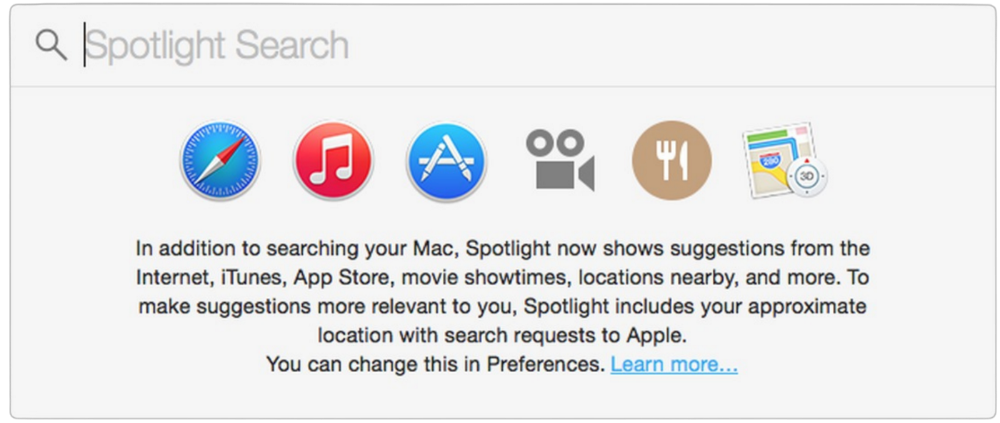
Since 2004, Spotlight has aired. It was developed to help users find photos, documents, apps, music, and system preferences.
Apple's search engine could do more than organize files, texts, and apps.
Spotlight Search was updated in 2014 with iOS 8. Web, App Store, and iTunes searches became available. You could find nearby places, movie showtimes, and news.
This search engine has subsequently been updated and improved. Spotlight added rich search results last year.
If you search for a TV show, movie, or song, photos and carousels will appear at the top of the page.
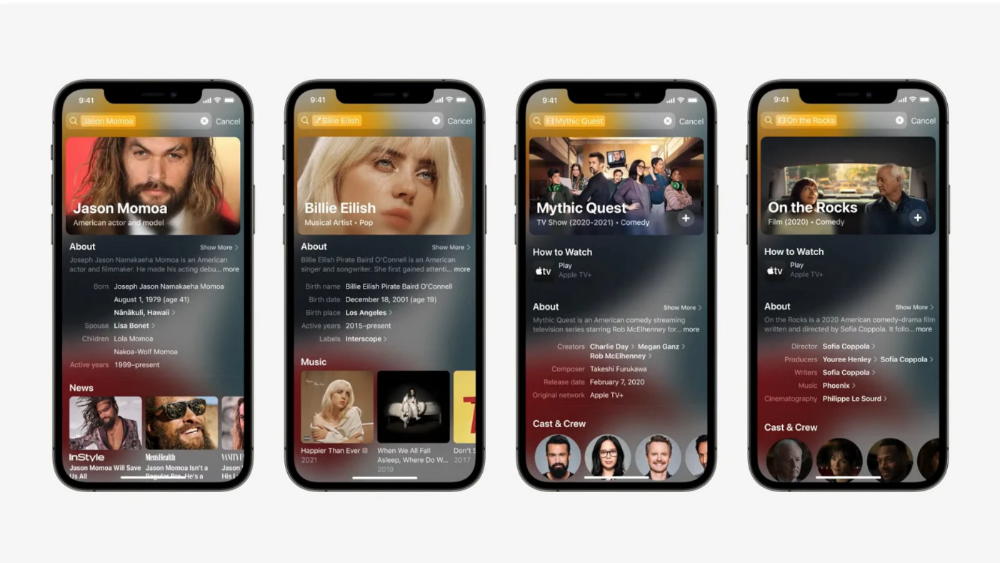
This resembles Google's rich search results.
When Will the Apple Search Engine Be Available?
When will Apple's search launch? Robert Scoble says it's near.
Scoble tweeted a number of hints before this year's Worldwide Developer Conference.
Scoble bases his prediction on insider information and deductive reasoning. January 2023 is expected.
Will you use Apple's search engine?

Zuzanna Sieja
3 years ago
In 2022, each data scientist needs to read these 11 books.

Non-technical talents can benefit data scientists in addition to statistics and programming.
As our article 5 Most In-Demand Skills for Data Scientists shows, being business-minded is useful. How can you get such a diverse skill set? We've compiled a list of helpful resources.
Data science, data analysis, programming, and business are covered. Even a few of these books will make you a better data scientist.
Ready? Let’s dive in.
Best books for data scientists
1. The Black Swan
Author: Nassim Taleb
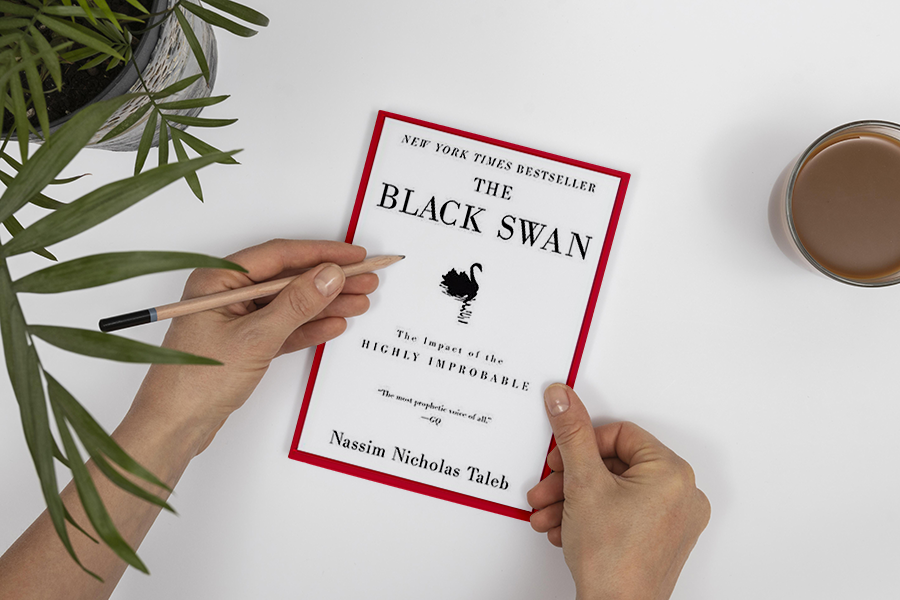
First, a less obvious title. Nassim Nicholas Taleb's seminal series examines uncertainty, probability, risk, and decision-making.
Three characteristics define a black swan event:
It is erratic.
It has a significant impact.
Many times, people try to come up with an explanation that makes it seem more predictable than it actually was.
People formerly believed all swans were white because they'd never seen otherwise. A black swan in Australia shattered their belief.
Taleb uses this incident to illustrate how human thinking mistakes affect decision-making. The book teaches readers to be aware of unpredictability in the ever-changing IT business.
Try multiple tactics and models because you may find the answer.
2. High Output Management
Author: Andrew Grove
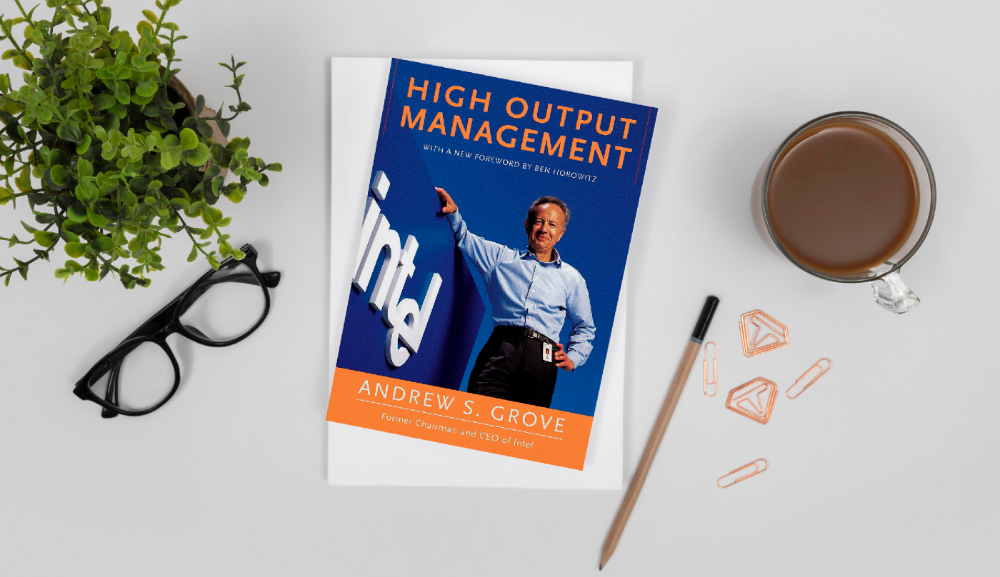
Intel's former chairman and CEO provides his insights on developing a global firm in this business book. We think Grove would choose “management” to describe the talent needed to start and run a business.
That's a skill for CEOs, techies, and data scientists. Grove writes on developing productive teams, motivation, real-life business scenarios, and revolutionizing work.
Five lessons:
Every action is a procedure.
Meetings are a medium of work
Manage short-term goals in accordance with long-term strategies.
Mission-oriented teams accelerate while functional teams increase leverage.
Utilize performance evaluations to enhance output.
So — if the above captures your imagination, it’s well worth getting stuck in.
3. The Hard Thing About Hard Things: Building a Business When There Are No Easy Answers
Author: Ben Horowitz
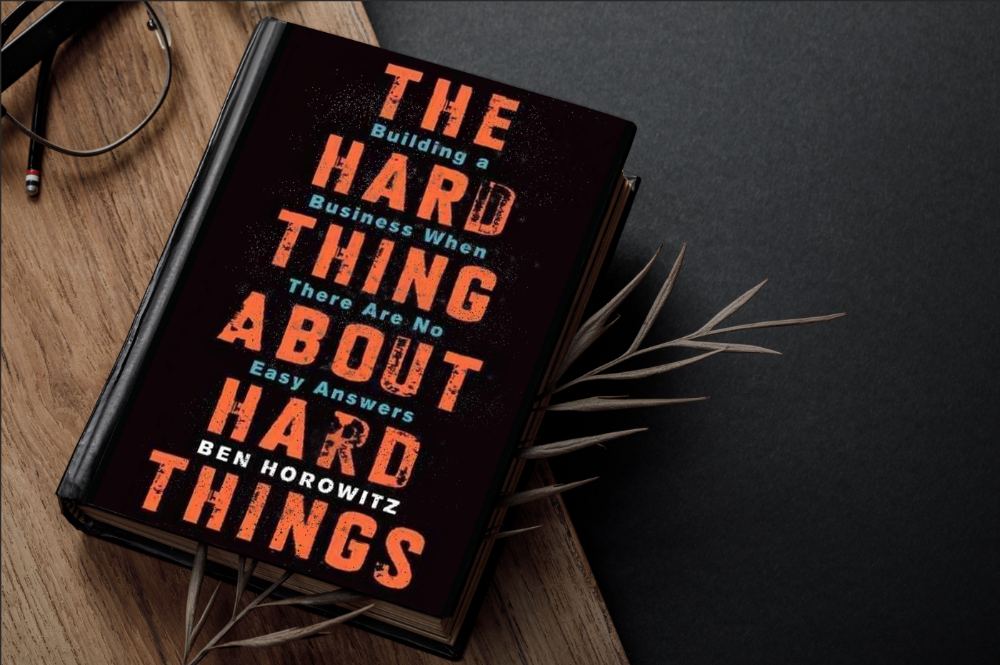
Few realize how difficult it is to run a business, even though many see it as a tremendous opportunity.
Business schools don't teach managers how to handle the toughest difficulties; they're usually on their own. So Ben Horowitz wrote this book.
It gives tips on creating and maintaining a new firm and analyzes the hurdles CEOs face.
Find suggestions on:
create software
Run a business.
Promote a product
Obtain resources
Smart investment
oversee daily operations
This book will help you cope with tough times.
4. Obviously Awesome: How to Nail Product Positioning
Author: April Dunford
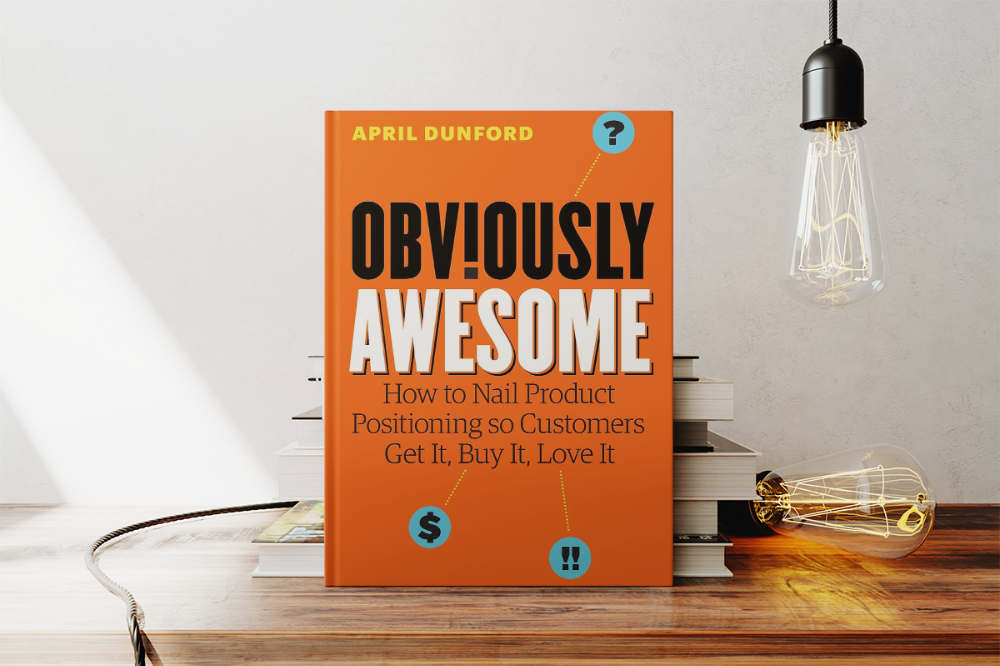
Your job as a data scientist is a product. You should be able to sell what you do to clients. Even if your product is great, you must convince them.
How to? April Dunford's advice: Her book explains how to connect with customers by making your offering seem like a secret sauce.
You'll learn:
Select the ideal market for your products.
Connect an audience to the value of your goods right away.
Take use of three positioning philosophies.
Utilize market trends to aid purchasers
5. The Mom test
Author: Rob Fitzpatrick
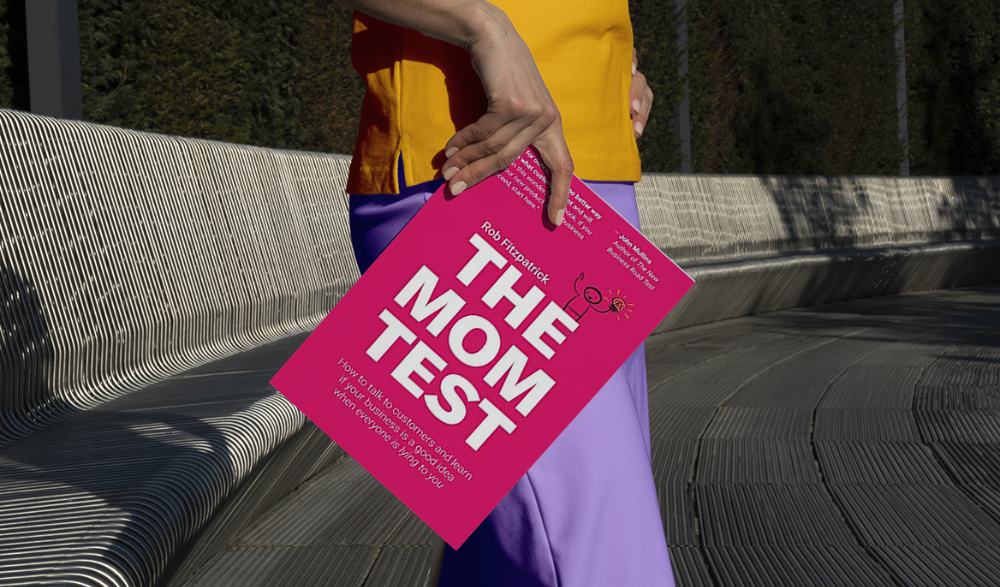
The Mom Test improves communication. Client conversations are rarely predictable. The book emphasizes one of the most important communication rules: enquire about specific prior behaviors.
Both ways work. If a client has suggestions or demands, listen carefully and ensure everyone understands. The book is packed with client-speaking tips.
6. Introduction to Machine Learning with Python: A Guide for Data Scientists
Authors: Andreas C. Müller, Sarah Guido
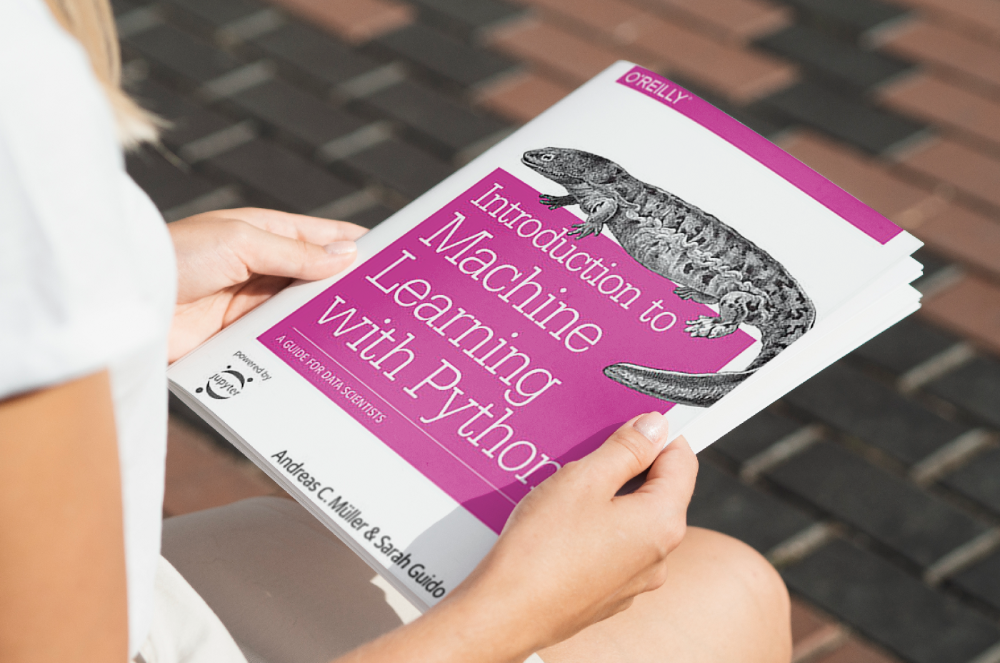
Now, technical documents.
This book is for Python-savvy data scientists who wish to learn machine learning. Authors explain how to use algorithms instead of math theory.
Their technique is ideal for developers who wish to study machine learning basics and use cases. Sci-kit-learn, NumPy, SciPy, pandas, and Jupyter Notebook are covered beyond Python.
If you know machine learning or artificial neural networks, skip this.
7. Python Data Science Handbook: Essential Tools for Working with Data
Author: Jake VanderPlas
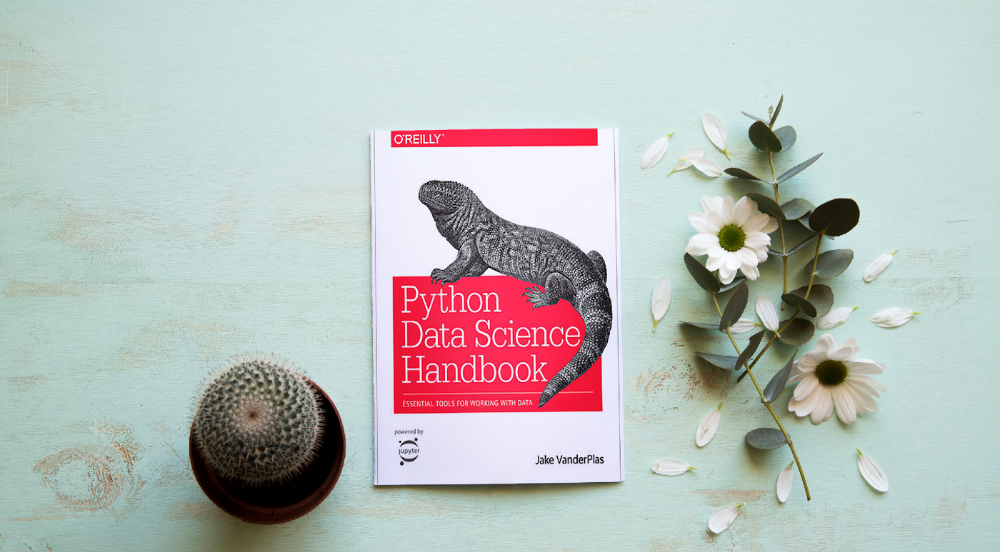
Data work isn't easy. Data manipulation, transformation, cleansing, and visualization must be exact.
Python is a popular tool. The Python Data Science Handbook explains everything. The book describes how to utilize Pandas, Numpy, Matplotlib, Scikit-Learn, and Jupyter for beginners.
The only thing missing is a way to apply your learnings.
8. Python for Data Analysis: Data Wrangling with Pandas, NumPy, and IPython
Author: Wes McKinney
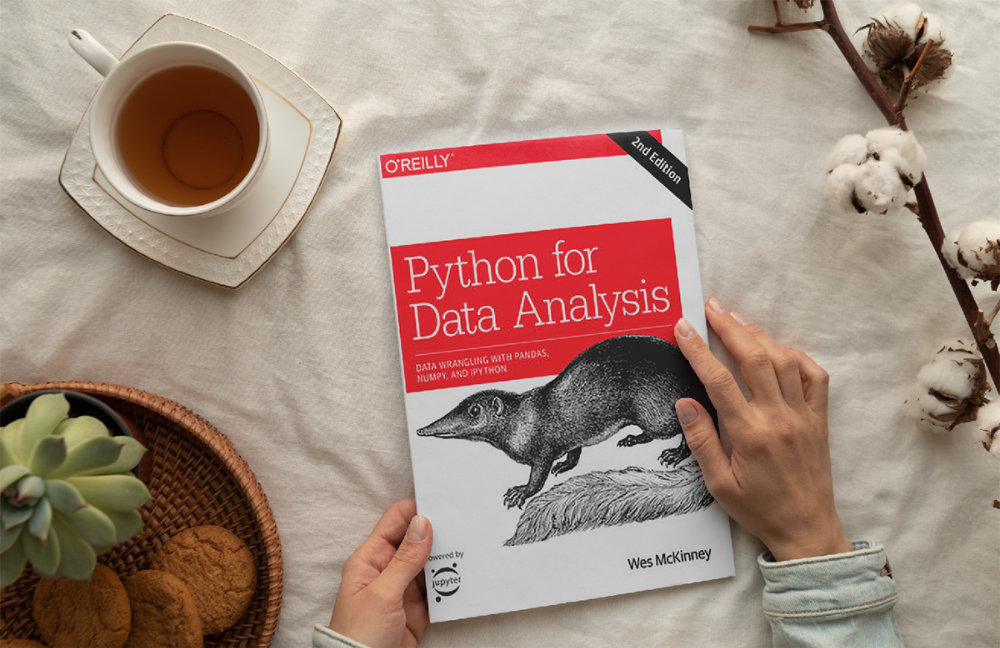
The author leads you through manipulating, processing, cleaning, and analyzing Python datasets using NumPy, Pandas, and IPython.
The book's realistic case studies make it a great resource for Python or scientific computing beginners. Once accomplished, you'll uncover online analytics, finance, social science, and economics solutions.
9. Data Science from Scratch
Author: Joel Grus
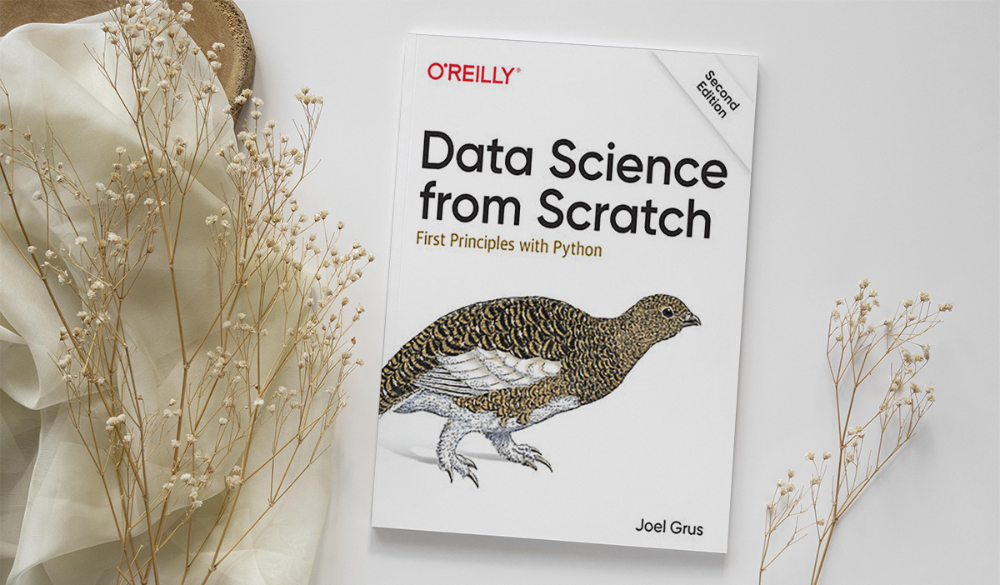
Here's a title for data scientists with Python, stats, maths, and algebra skills (alongside a grasp of algorithms and machine learning). You'll learn data science's essential libraries, frameworks, modules, and toolkits.
The author works through all the key principles, providing you with the practical abilities to develop simple code. The book is appropriate for intermediate programmers interested in data science and machine learning.
Not that prior knowledge is required. The writing style matches all experience levels, but understanding will help you absorb more.
10. Machine Learning Yearning
Author: Andrew Ng
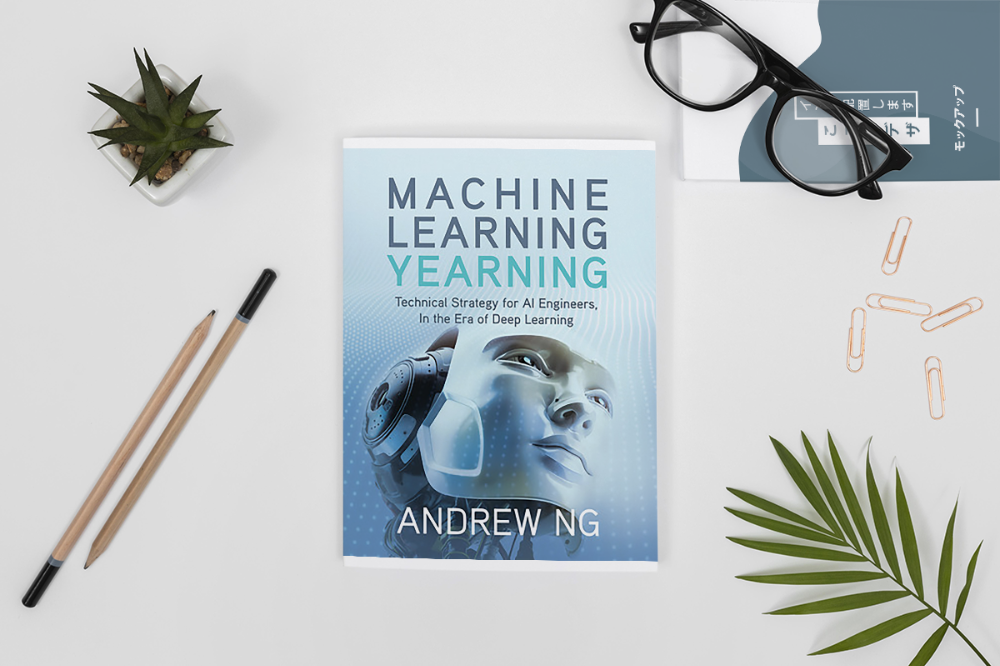
Andrew Ng is a machine learning expert. Co-founded and teaches at Stanford. This free book shows you how to structure an ML project, including recognizing mistakes and building in complex contexts.
The book delivers knowledge and teaches how to apply it, so you'll know how to:
Determine the optimal course of action for your ML project.
Create software that is more effective than people.
Recognize when to use end-to-end, transfer, and multi-task learning, and how to do so.
Identifying machine learning system flaws
Ng writes easy-to-read books. No rigorous math theory; just a terrific approach to understanding how to make technical machine learning decisions.
11. Deep Learning with PyTorch Step-by-Step
Author: Daniel Voigt Godoy
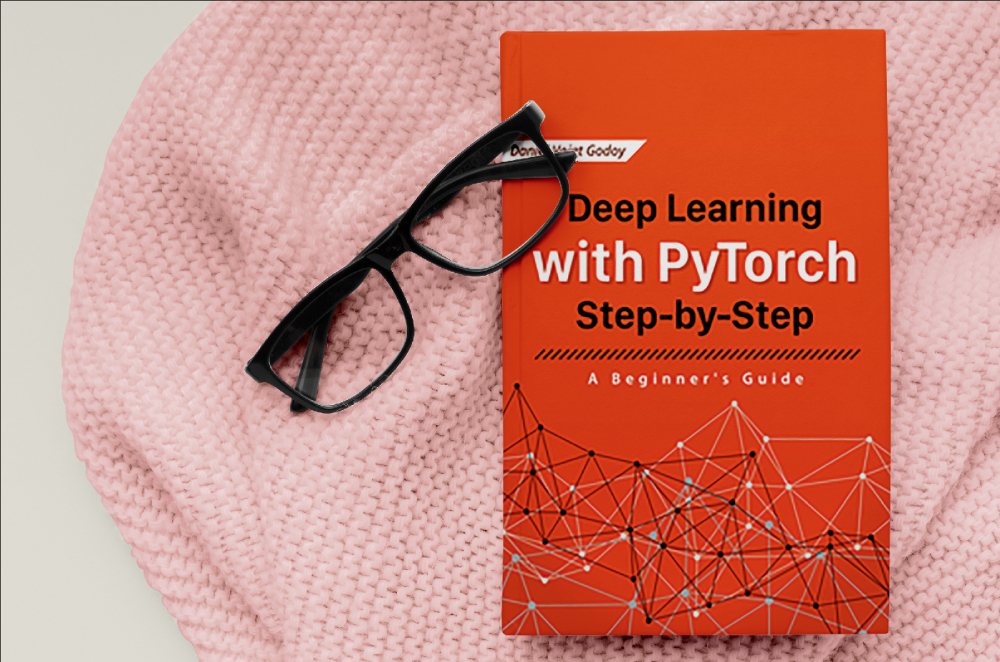
The last title is also the most recent. The book was revised on 23 January 2022 to discuss Deep Learning and PyTorch, a Python coding tool.
It comprises four parts:
Fundamentals (gradient descent, training linear and logistic regressions in PyTorch)
Machine Learning (deeper models and activation functions, convolutions, transfer learning, initialization schemes)
Sequences (RNN, GRU, LSTM, seq2seq models, attention, self-attention, transformers)
Automatic Language Recognition (tokenization, embeddings, contextual word embeddings, ELMo, BERT, GPT-2)
We admire the book's readability. The author avoids difficult mathematical concepts, making the material feel like a conversation.
Is every data scientist a humanist?
Even as a technological professional, you can't escape human interaction, especially with clients.
We hope these books will help you develop interpersonal skills.

Darius Foroux
2 years ago
My financial life was changed by a single, straightforward mental model.
Prioritize big-ticket purchases
I've made several spending blunders. I get sick thinking about how much money I spent.
My financial mental model was poor back then.
Stoicism and mindfulness keep me from attaching to those feelings. It still hurts.
Until four or five years ago, I bought a new winter jacket every year.
Ten years ago, I spent twice as much. Now that I have a fantastic, warm winter parka, I don't even consider acquiring another one. No more spending. I'm not looking for jackets either.
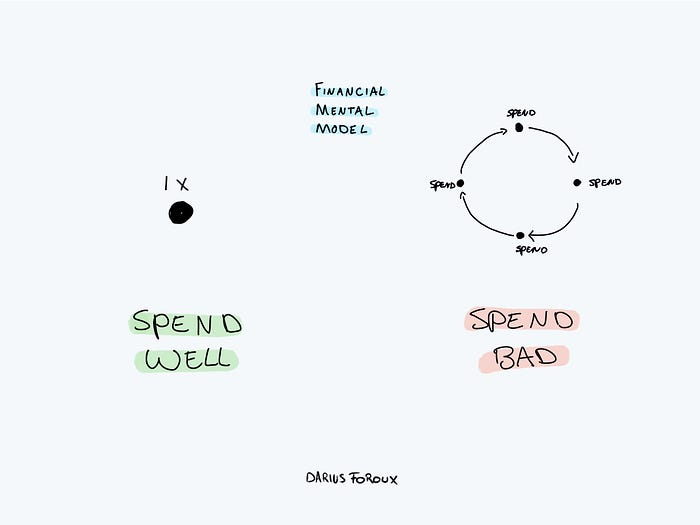
Saving time and money by spending well is my thinking paradigm.
The philosophy is expressed in most languages. Cheap is expensive in the Netherlands. This applies beyond shopping.
In this essay, I will offer three examples of how this mental paradigm transformed my financial life.
Publishing books
In 2015, I presented and positioned my first book poorly.
I called the book Huge Life Success and made a funny Canva cover in 30 minutes. This:

That looks nothing like my present books. No logo or style. The book felt amateurish.
The book started bothering me a few weeks after publication. The advice was good, but it didn't appear professional. I studied the book business extensively.
I created a style for all my designs. Branding. Win Your Inner Wars was reissued a year later.
Title, cover, and description changed. Rearranging the chapters improved readability.
Seven years later, the book sells hundreds of copies a month. That taught me a lot.
Rushing to finish a project is enticing. Send it and move forward.
Avoid rushing everything. Relax. Develop your projects. Perform well. Perform the job well.
My first novel was underfunded and underworked. A bad book arrived. I then invested time and money in writing the greatest book I could.
That book still sells.
Traveling
I hate travel. Airports, flights, trains, and lines irritate me.
But, I enjoy traveling to beautiful areas.
I do it strangely. I make up travel rules. I never go to airports in summer. I hate being near airports on holidays. Unworthy.
No vacation packages for me. Those airline packages with a flight, shuttle, and hotel. I've had enough.
I try to avoid crowds and popular spots. July Paris? Nuts and bolts, please. Christmas in NYC? No, please keep me sane.
I fly business class behind. I accept upgrades upon check-in. I prefer driving. I drove from the Netherlands to southern Spain.
Thankfully, no lines. What if travel costs more? Thus? I enjoy it from the start. I start traveling then.
I rarely travel since I'm so difficult. One great excursion beats several average ones.
Personal effectiveness
New apps, tools, and strategies intrigue most productivity professionals.
No.
I researched years ago. I spent years investigating productivity in university.
I bought books, courses, applications, and tools. It was expensive and time-consuming.
Im finished. Productivity no longer costs me time or money. OK. I worked on it once and now follow my strategy.
I avoid new programs and systems. My stuff works. Why change winners?
Spending wisely saves time and money.
Spending wisely means spending once. Many people ignore productivity. It's understudied. No classes.
Some assume reading a few articles or a book is enough. Productivity is personal. You need a personal system.
Time invested is one-time. You can trust your system for life once you find it.
Concentrate on the expensive choices.
Life's short. Saving money quickly is enticing.
Spend less on groceries today. True. That won't fix your finances.
Adopt a lifestyle that makes you affluent over time. Consider major choices.
Are they causing long-term poverty? Are you richer?
Leasing cars comes to mind. The automobile costs a fortune today. The premium could accomplish a million nice things.
Focusing on important decisions makes life easier. Consider your future. You want to improve next year.