

2 NFT-based blockchain games that could soar in 2022
NFTs look ready to rule 2022, and the recent pivot toward NFT utility in P2E gaming could make blockchain gaming this year’s sector darling.
After the popularity of decentralized finance (DeFi) came the rise of nonfungible tokens (NFTs), and to the surprise of many, NFTs took the spotlight and now remain front and center with the highest volume in sales occurring at the start of January 2022.
While 2021 became the year of NFTs, GameFi applications did surpass DeFi in terms of user popularity. According to data from DappRadar, Bloomberg gathered:
Nearly 50% of active cryptocurrency wallets connected to decentralized applications in November were for playing games. The percentage of wallets linked to decentralized finance, or DeFi, dapps fell to 45% during the same period, after months of being the leading dapp use case.
Blockchain play-to-earn (P2E) game Axie infinity skyrocketed and kicked off a gaming craze that is expected to continue all throughout 2022. Crypto pundits and gaming advocates have high expectations for P2E blockchain-based games and there’s bound to be a few sleeping giants that will dominate the sector.
Let’s take a look at five blockchain games that could make waves in 2022.
DeFi Kingdoms
The inspiration for DeFi Kingdoms came from simple beginnings — a passion for investing that lured the developers to blockchain technology. DeFi Kingdoms was born as a visualization of liquidity pool investing where in-game ‘gardens’ represent literal and figurative token pairings and liquidity pool mining.
As shown in the game, investors have a portion of their LP share within a plot filled with blooming plants. By attaching the concept of growth to DeFi protocols within a play-and-earn model, DeFi Kingdoms puts a twist on “playing” a game.
Built on the Harmony Network, DeFi Kingdoms became the first project on the network to ever top the DappRadar charts. This could be attributed to an influx of individuals interested in both DeFi and blockchain games or it could be attributed to its recent in-game utility token JEWEL surging.
JEWEL is a utility token that allows users to purchase NFTs in-game buffs to increase a base-level stat. It is also used for liquidity mining to grant users the opportunity to make more JEWEL through staking.
JEWEL is also a governance token that gives holders a vote in the growth and evolution of the project. In the past four months, the token price surged from $1.23 to an all-time high of $22.52. At the time of writing, JEWEL is down by nearly 16%, trading at $19.51.
Surging approximately 1,487% from its humble start of $1.23 four months ago in September, JEWEL token price has increased roughly 165% this last month alone, according to data from CoinGecko.
Guild of Guardians
Guild of Guardians is one of the more anticipated blockchain games in 2022 and it is built on ImmutableX, the first layer-two solution built on Ethereum that focuses on NFTs. Aiming to provide more access, it will operate as a free-to-play mobile role-playing game, modeling the P2E mechanics.
Similar to blockchain games like Axie Infinity, Guild of Guardians in-game assets can be exchanged. The project seems to be of interest to many gamers and investors with its NFT founder sale and token launch generating nearly $10 million in volume.
Launching its in-game token in October of 2021, the Guild of Guardians (GOG) tokens are ERC-20 tokens known as ‘gems’ inside the game. Gems are what power key features in the game such as minting in-game NFTs and interacting with the marketplace, and are available to earn while playing.
For the last month, the Guild of Guardians token has performed rather steadily after spiking to its all-time high of $2.81 after its launch. Despite the token being down over 50% from its all-time high, at the time of writing, some members of the community are looking forward to the possibility of staking and liquidity pools, which are features that tend to help stabilize token prices.

CoinTelegraph
4 years ago
also
Galaxy Fight Club
Imagine taking a proof-of-picture (PFP) NFT and making it into an avatar to battle other fighters in a galaxy far away? Galaxy Fight Club (GFC) is a blockchain game that switched its gears from a 10,000 avatar collection to the first cross-brand and cross-platform PvP fighting game where players can fight with their collection of avatars.
Focusing on interoperability, GFC uniquely places high value on its original fighters but allows other avatars to battle for the opportunity to earn rewards.
The game is expected to launch on the Polygon network and it will feature different themes from various partnering collections such as Animetas and CyberKongz, integrating its cross-platform aim. GFC plays on the nostalgia of SuperSmash Bros., except one is battling for loot keys to open loot boxes rather than simply wiping out their opponent.
GFC is currently in beta testing and is facing minor setbacks including a delayed initial DEX offering (IDO). To date, it’s not clear when public access will be made available, but many are hopeful for a Q1 2022 rollout.
More on Web3 & Crypto

Miguel Saldana
3 years ago
Crypto Inheritance's Catch-22
Security, privacy, and a strategy!
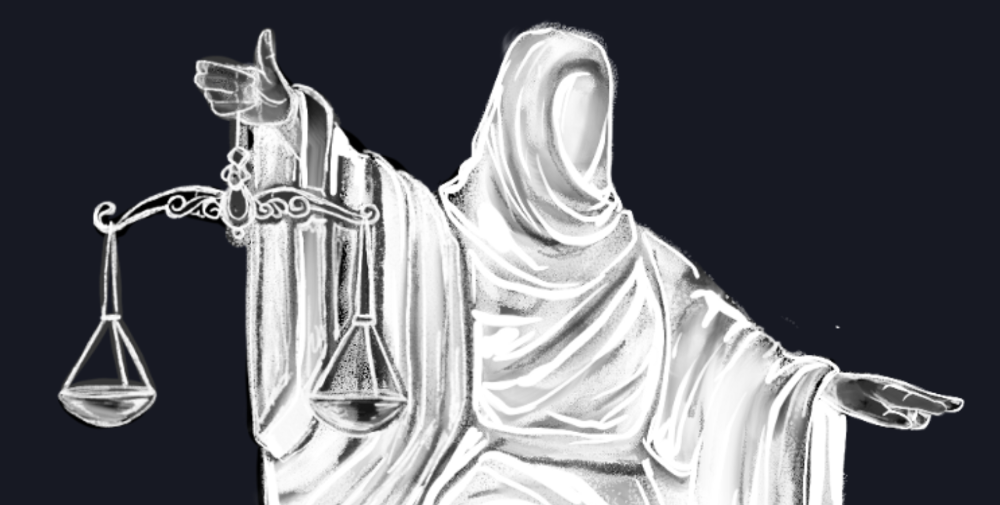
How to manage digital assets in worst-case scenarios is a perennial crypto concern. Since blockchain and bitcoin technology is very new, this hasn't been a major issue. Many early developers are still around, and many groups created around this technology are young and feel they have a lot of life remaining. This is why inheritance and estate planning in crypto should be handled promptly. As cryptocurrency's intrinsic worth rises, many people in the ecosystem are holding on to assets that might represent generational riches. With that much value, it's crucial to have a plan. Creating a solid plan entails several challenges.
the initial hesitation in coming up with a plan
The technical obstacles to ensuring the assets' security and privacy
the passing of assets from a deceased or incompetent person
Legal experts' lack of comprehension and/or understanding of how to handle and treat cryptocurrency.
This article highlights several challenges, a possible web3-native solution, and how to learn more.
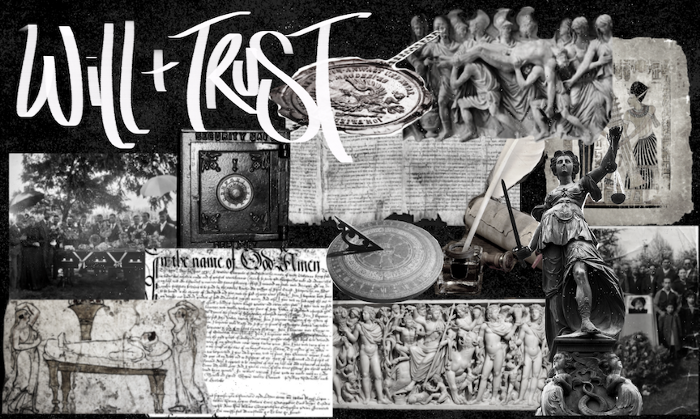
The Challenge of Inheritance:
One of the biggest hurdles to inheritance planning is starting the conversation. As humans, we don't like to think about dying. Early adopters will experience crazy gains as cryptocurrencies become more popular. Creating a plan is crucial if you wish to pass on your riches to loved ones. Without a plan, the technical and legal issues I barely mentioned above would erode value by requiring costly legal fees and/or taxes, and you could lose everything if wallets and assets are not distributed appropriately (associated with the private keys). Raising awareness of the consequences of not having a plan should motivate people to make one.
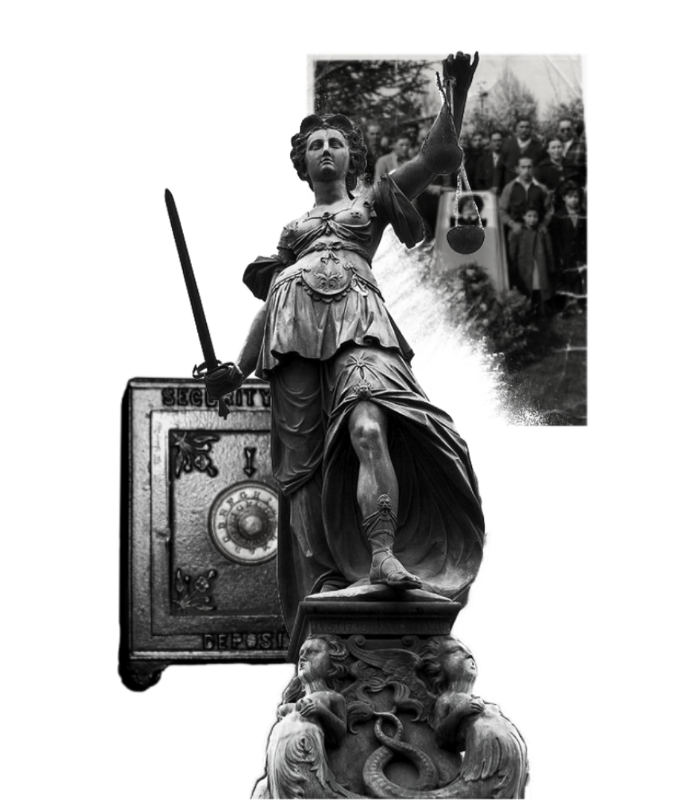
Controlling Change:
Having an inheritance plan for your digital assets is crucial, but managing the guts and bolts poses a new set of difficulties. Privacy and security provided by maintaining your own wallet provide different issues than traditional finances and assets. Traditional finance is centralized (say a stock brokerage firm). You can assign another person to handle the transfer of your assets. In crypto, asset transfer is reimagined. One may suppose future transaction management is doable, but the user must consent, creating an impossible loop.
I passed away and must send a transaction to the person I intended to deliver it to.
I have to confirm or authorize the transaction, but I'm dead.
In crypto, scheduling a future transaction wouldn't function. To transfer the wallet and its contents, we'd need the private keys and/or seed phrase. Minimizing private key exposure is crucial to protecting your crypto from hackers, social engineering, and phishing. People have lost private keys after utilizing Life Hack-type tactics to secure them. People that break and hide their keys, lose them, or make them unreadable won't help with managing and/or transferring. This will require a derived solution.
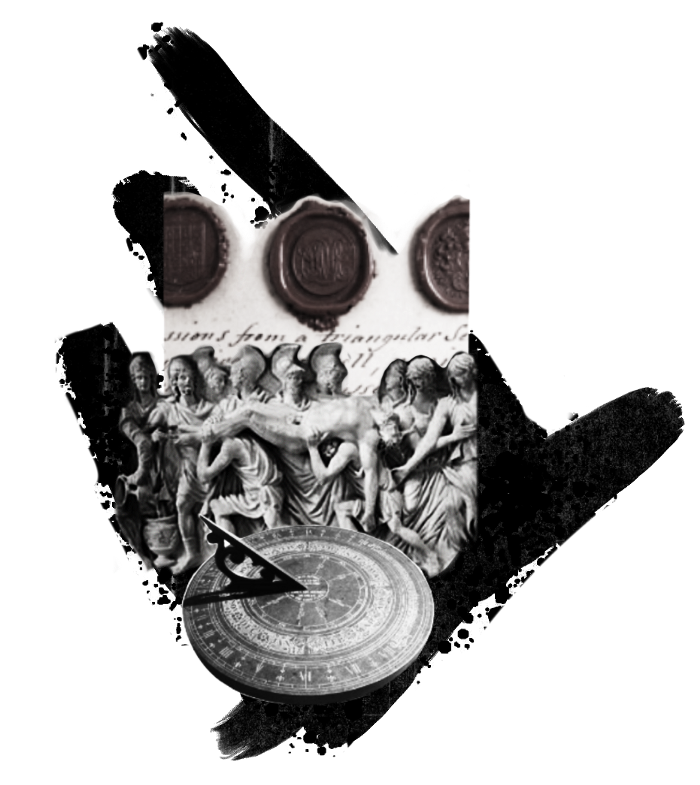
Legal Challenges and Implications
Unlike routine cryptocurrency transfers and transactions, local laws may require special considerations. Even in the traditional world, estate/inheritance taxes, how assets will be split, and who executes the will must be considered. Many lawyers aren't crypto-savvy, which complicates the matter. There will be many hoops to jump through to safeguard your crypto and traditional assets and give them to loved ones.
Knowing RUFADAA/UFADAA, depending on your state, is vital for Americans. UFADAA offers executors and trustees access to online accounts (which crypto wallets would fall into). RUFADAA was changed to limit access to the executor to protect assets. RUFADAA outlines how digital assets are administered following death and incapacity in the US.
A Succession Solution
Having a will and talking about who would get what is the first step to having a solution, but using a Dad Mans Switch is a perfect tool for such unforeseen circumstances. As long as the switch's controller has control, nothing happens. Losing control of the switch initiates a state transition.
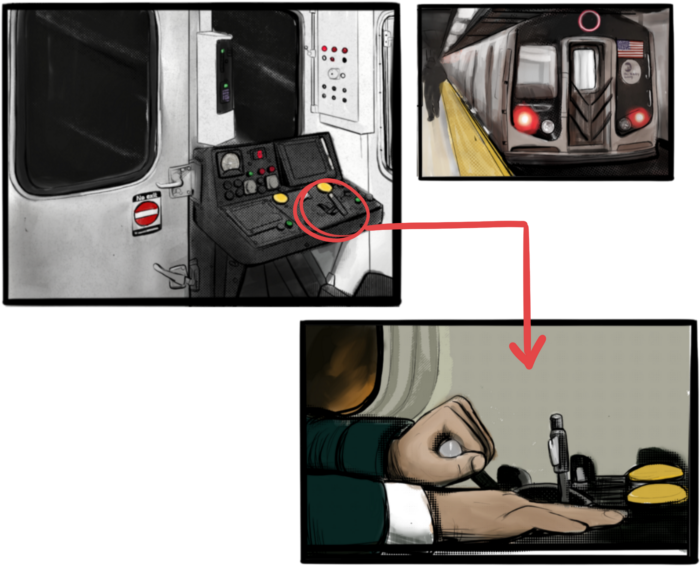
Subway or railway operations are examples. Modern control systems need the conductor to hold a switch to keep the train going. If they can't, the train stops.
Enter Sarcophagus
Sarcophagus is a decentralized dead man's switch built on Ethereum and Arweave. Sarcophagus allows actors to maintain control of their possessions even while physically unable to do so. Using a programmable dead man's switch and dual encryption, anything can be kept and passed on. This covers assets, secrets, seed phrases, and other use cases to provide authority and control back to the user and release trustworthy services from this work. Sarcophagus is built on a decentralized, transparent open source codebase. Sarcophagus is there if you're unprepared.

Farhan Ali Khan
2 years ago
Introduction to Zero-Knowledge Proofs: The Art of Proving Without Revealing
Zero-Knowledge Proofs for Beginners
Published here originally.
Introduction
I Spy—did you play as a kid? One person chose a room object, and the other had to guess it by answering yes or no questions. I Spy was entertaining, but did you know it could teach you cryptography?
Zero Knowledge Proofs let you show your pal you know what they picked without exposing how. Math replaces electronics in this secret spy mission. Zero-knowledge proofs (ZKPs) are sophisticated cryptographic tools that allow one party to prove they have particular knowledge without revealing it. This proves identification and ownership, secures financial transactions, and more. This article explains zero-knowledge proofs and provides examples to help you comprehend this powerful technology.
What is a Proof of Zero Knowledge?
Zero-knowledge proofs prove a proposition is true without revealing any other information. This lets the prover show the verifier that they know a fact without revealing it. So, a zero-knowledge proof is like a magician's trick: the prover proves they know something without revealing how or what. Complex mathematical procedures create a proof the verifier can verify.
Want to find an easy way to test it out? Try out with tis awesome example! ZK Crush
Describe it as if I'm 5
Alex and Jack found a cave with a center entrance that only opens when someone knows the secret. Alex knows how to open the cave door and wants to show Jack without telling him.
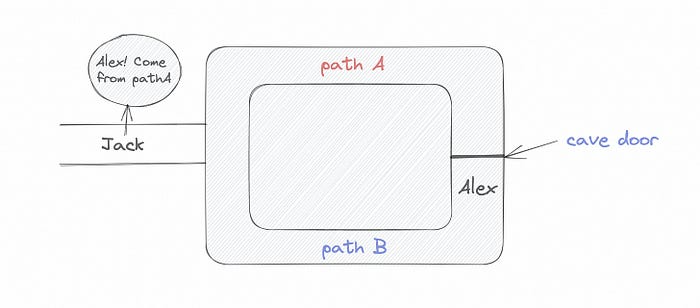
Alex and Jack name both pathways (let’s call them paths A and B).
In the first phase, Alex is already inside the cave and is free to select either path, in this case A or B.
As Alex made his decision, Jack entered the cave and asked him to exit from the B path.
Jack can confirm that Alex really does know the key to open the door because he came out for the B path and used it.
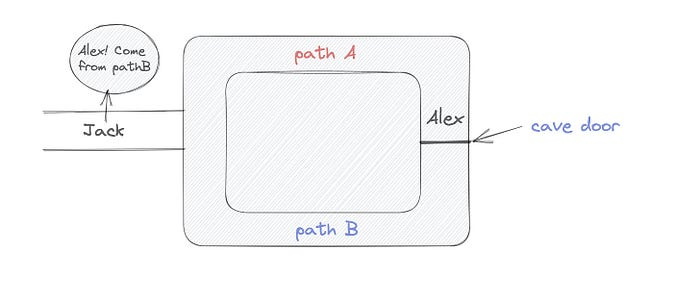
To conclude, Alex and Jack repeat:
Alex walks into the cave.
Alex follows a random route.
Jack walks into the cave.
Alex is asked to follow a random route by Jack.
Alex follows Jack's advice and heads back that way.
What is a Zero Knowledge Proof?
At a high level, the aim is to construct a secure and confidential conversation between the prover and the verifier, where the prover convinces the verifier that they have the requisite information without disclosing it. The prover and verifier exchange messages and calculate in each round of the dialogue.
The prover uses their knowledge to prove they have the information the verifier wants during these rounds. The verifier can verify the prover's truthfulness without learning more by checking the proof's mathematical statement or computation.
Zero knowledge proofs use advanced mathematical procedures and cryptography methods to secure communication. These methods ensure the evidence is authentic while preventing the prover from creating a phony proof or the verifier from extracting unnecessary information.
ZK proofs require examples to grasp. Before the examples, there are some preconditions.
Criteria for Proofs of Zero Knowledge
Completeness: If the proposition being proved is true, then an honest prover will persuade an honest verifier that it is true.
Soundness: If the proposition being proved is untrue, no dishonest prover can persuade a sincere verifier that it is true.
Zero-knowledge: The verifier only realizes that the proposition being proved is true. In other words, the proof only establishes the veracity of the proposition being supported and nothing more.
The zero-knowledge condition is crucial. Zero-knowledge proofs show only the secret's veracity. The verifier shouldn't know the secret's value or other details.
Example after example after example
To illustrate, take a zero-knowledge proof with several examples:
Initial Password Verification Example
You want to confirm you know a password or secret phrase without revealing it.
Use a zero-knowledge proof:
You and the verifier settle on a mathematical conundrum or issue, such as figuring out a big number's components.
The puzzle or problem is then solved using the hidden knowledge that you have learned. You may, for instance, utilize your understanding of the password to determine the components of a particular number.
You provide your answer to the verifier, who can assess its accuracy without knowing anything about your private data.
You go through this process several times with various riddles or issues to persuade the verifier that you actually are aware of the secret knowledge.
You solved the mathematical puzzles or problems, proving to the verifier that you know the hidden information. The proof is zero-knowledge since the verifier only sees puzzle solutions, not the secret information.
In this scenario, the mathematical challenge or problem represents the secret, and solving it proves you know it. The evidence does not expose the secret, and the verifier just learns that you know it.
My simple example meets the zero-knowledge proof conditions:
Completeness: If you actually know the hidden information, you will be able to solve the mathematical puzzles or problems, hence the proof is conclusive.
Soundness: The proof is sound because the verifier can use a publicly known algorithm to confirm that your answer to the mathematical conundrum or difficulty is accurate.
Zero-knowledge: The proof is zero-knowledge because all the verifier learns is that you are aware of the confidential information. Beyond the fact that you are aware of it, the verifier does not learn anything about the secret information itself, such as the password or the factors of the number. As a result, the proof does not provide any new insights into the secret.
Explanation #2: Toss a coin.
One coin is biased to come up heads more often than tails, while the other is fair (i.e., comes up heads and tails with equal probability). You know which coin is which, but you want to show a friend you can tell them apart without telling them.
Use a zero-knowledge proof:
One of the two coins is chosen at random, and you secretly flip it more than once.
You show your pal the following series of coin flips without revealing which coin you actually flipped.
Next, as one of the two coins is flipped in front of you, your friend asks you to tell which one it is.
Then, without revealing which coin is which, you can use your understanding of the secret order of coin flips to determine which coin your friend flipped.
To persuade your friend that you can actually differentiate between the coins, you repeat this process multiple times using various secret coin-flipping sequences.
In this example, the series of coin flips represents the knowledge of biased and fair coins. You can prove you know which coin is which without revealing which is biased or fair by employing a different secret sequence of coin flips for each round.
The evidence is zero-knowledge since your friend does not learn anything about which coin is biased and which is fair other than that you can tell them differently. The proof does not indicate which coin you flipped or how many times you flipped it.
The coin-flipping example meets zero-knowledge proof requirements:
Completeness: If you actually know which coin is biased and which is fair, you should be able to distinguish between them based on the order of coin flips, and your friend should be persuaded that you can.
Soundness: Your friend may confirm that you are correctly recognizing the coins by flipping one of them in front of you and validating your answer, thus the proof is sound in that regard. Because of this, your acquaintance can be sure that you are not just speculating or picking a coin at random.
Zero-knowledge: The argument is that your friend has no idea which coin is biased and which is fair beyond your ability to distinguish between them. Your friend is not made aware of the coin you used to make your decision or the order in which you flipped the coins. Consequently, except from letting you know which coin is biased and which is fair, the proof does not give any additional information about the coins themselves.
Figure out the prime number in Example #3.
You want to prove to a friend that you know their product n=pq without revealing p and q. Zero-knowledge proof?
Use a variant of the RSA algorithm. Method:
You determine a new number s = r2 mod n by computing a random number r.
You email your friend s and a declaration that you are aware of the values of p and q necessary for n to equal pq.
A random number (either 0 or 1) is selected by your friend and sent to you.
You send your friend r as evidence that you are aware of the values of p and q if e=0. You calculate and communicate your friend's s/r if e=1.
Without knowing the values of p and q, your friend can confirm that you know p and q (in the case where e=0) or that s/r is a legitimate square root of s mod n (in the situation where e=1).
This is a zero-knowledge proof since your friend learns nothing about p and q other than their product is n and your ability to verify it without exposing any other information. You can prove that you know p and q by sending r or by computing s/r and sending that instead (if e=1), and your friend can verify that you know p and q or that s/r is a valid square root of s mod n without learning anything else about their values. This meets the conditions of completeness, soundness, and zero-knowledge.
Zero-knowledge proofs satisfy the following:
Completeness: The prover can demonstrate this to the verifier by computing q = n/p and sending both p and q to the verifier. The prover also knows a prime number p and a factorization of n as p*q.
Soundness: Since it is impossible to identify any pair of numbers that correctly factorize n without being aware of its prime factors, the prover is unable to demonstrate knowledge of any p and q that do not do so.
Zero knowledge: The prover only admits that they are aware of a prime number p and its associated factor q, which is already known to the verifier. This is the extent of their knowledge of the prime factors of n. As a result, the prover does not provide any new details regarding n's prime factors.
Types of Proofs of Zero Knowledge
Each zero-knowledge proof has pros and cons. Most zero-knowledge proofs are:
Interactive Zero Knowledge Proofs: The prover and the verifier work together to establish the proof in this sort of zero-knowledge proof. The verifier disputes the prover's assertions after receiving a sequence of messages from the prover. When the evidence has been established, the prover will employ these new problems to generate additional responses.
Non-Interactive Zero Knowledge Proofs: For this kind of zero-knowledge proof, the prover and verifier just need to exchange a single message. Without further interaction between the two parties, the proof is established.
A statistical zero-knowledge proof is one in which the conclusion is reached with a high degree of probability but not with certainty. This indicates that there is a remote possibility that the proof is false, but that this possibility is so remote as to be unimportant.
Succinct Non-Interactive Argument of Knowledge (SNARKs): SNARKs are an extremely effective and scalable form of zero-knowledge proof. They are utilized in many different applications, such as machine learning, blockchain technology, and more. Similar to other zero-knowledge proof techniques, SNARKs enable one party—the prover—to demonstrate to another—the verifier—that they are aware of a specific piece of information without disclosing any more information about that information.
The main characteristic of SNARKs is their succinctness, which refers to the fact that the size of the proof is substantially smaller than the amount of the original data being proved. Because to its high efficiency and scalability, SNARKs can be used in a wide range of applications, such as machine learning, blockchain technology, and more.
Uses for Zero Knowledge Proofs
ZKP applications include:
Verifying Identity ZKPs can be used to verify your identity without disclosing any personal information. This has uses in access control, digital signatures, and online authentication.
Proof of Ownership ZKPs can be used to demonstrate ownership of a certain asset without divulging any details about the asset itself. This has uses for protecting intellectual property, managing supply chains, and owning digital assets.
Financial Exchanges Without disclosing any details about the transaction itself, ZKPs can be used to validate financial transactions. Cryptocurrency, internet payments, and other digital financial transactions can all use this.
By enabling parties to make calculations on the data without disclosing the data itself, Data Privacy ZKPs can be used to preserve the privacy of sensitive data. Applications for this can be found in the financial, healthcare, and other sectors that handle sensitive data.
By enabling voters to confirm that their vote was counted without disclosing how they voted, elections ZKPs can be used to ensure the integrity of elections. This is applicable to electronic voting, including internet voting.
Cryptography Modern cryptography's ZKPs are a potent instrument that enable secure communication and authentication. This can be used for encrypted messaging and other purposes in the business sector as well as for military and intelligence operations.
Proofs of Zero Knowledge and Compliance
Kubernetes and regulatory compliance use ZKPs in many ways. Examples:
Security for Kubernetes ZKPs offer a mechanism to authenticate nodes without disclosing any sensitive information, enhancing the security of Kubernetes clusters. ZKPs, for instance, can be used to verify, without disclosing the specifics of the program, that the nodes in a Kubernetes cluster are running permitted software.
Compliance Inspection Without disclosing any sensitive information, ZKPs can be used to demonstrate compliance with rules like the GDPR, HIPAA, and PCI DSS. ZKPs, for instance, can be used to demonstrate that data has been encrypted and stored securely without divulging the specifics of the mechanism employed for either encryption or storage.
Access Management Without disclosing any private data, ZKPs can be used to offer safe access control to Kubernetes resources. ZKPs can be used, for instance, to demonstrate that a user has the necessary permissions to access a particular Kubernetes resource without disclosing the details of those permissions.
Safe Data Exchange Without disclosing any sensitive information, ZKPs can be used to securely transmit data between Kubernetes clusters or between several businesses. ZKPs, for instance, can be used to demonstrate the sharing of a specific piece of data between two parties without disclosing the details of the data itself.
Kubernetes deployments audited Without disclosing the specifics of the deployment or the data being processed, ZKPs can be used to demonstrate that Kubernetes deployments are working as planned. This can be helpful for auditing purposes and for ensuring that Kubernetes deployments are operating as planned.
ZKPs preserve data and maintain regulatory compliance by letting parties prove things without revealing sensitive information. ZKPs will be used more in Kubernetes as it grows.

Ryan Weeks
3 years ago
Terra fiasco raises TRON's stablecoin backstop
After Terra's algorithmic stablecoin collapsed in May, TRON announced a plan to increase the capital backing its own stablecoin.
USDD, a near-carbon copy of Terra's UST, arrived on the TRON blockchain on May 5. TRON founder Justin Sun says USDD will be overcollateralized after initially being pegged algorithmically to the US dollar.
A reserve of cryptocurrencies and stablecoins will be kept at 130 percent of total USDD issuance, he said. TRON described the collateral ratio as "guaranteed" and said it would begin publishing real-time updates on June 5.
Currently, the reserve contains 14,040 bitcoin (around $418 million), 140 million USDT, 1.9 billion TRX, and 8.29 billion TRX in a burning contract.
Sun: "We want to hybridize USDD." We have an algorithmic stablecoin and TRON DAO Reserve.
algorithmic failure
USDD was designed to incentivize arbitrageurs to keep its price pegged to the US dollar by trading TRX, TRON's token, and USDD. Like Terra, TRON signaled its intent to establish a bitcoin and cryptocurrency reserve to support USDD in extreme market conditions.
Still, Terra's UST failed despite these safeguards. The stablecoin veered sharply away from its dollar peg in mid-May, bringing down Terra's LUNA and wiping out $40 billion in value in days. In a frantic attempt to restore the peg, billions of dollars in bitcoin were sold and unprecedented volumes of LUNA were issued.
Sun believes USDD, which has a total circulating supply of $667 million, can be backed up.
"Our reserve backing is diversified." Bitcoin and stablecoins are included. USDC will be a small part of Circle's reserve, he said.
TRON's news release lists the reserve's assets as bitcoin, TRX, USDC, USDT, TUSD, and USDJ.
All Bitcoin addresses will be signed so everyone knows they belong to us, Sun said.
Not giving in
Sun told that the crypto industry needs "decentralized" stablecoins that regulators can't touch.
Sun said the Luna Foundation Guard, a Singapore-based non-profit that raised billions in cryptocurrency to buttress UST, mismanaged the situation by trying to sell to panicked investors.
He said, "We must be ahead of the market." We want to stabilize the market and reduce volatility.
Currently, TRON finances most of its reserve directly, but Sun says the company hopes to add external capital soon.
Before its demise, UST holders could park the stablecoin in Terra's lending platform Anchor Protocol to earn 20% interest, which many deemed unsustainable. TRON's JustLend is similar. Sun hopes to raise annual interest rates from 17.67% to "around 30%."
This post is a summary. Read full article here
You might also like

Rajesh Gupta
3 years ago
Why Is It So Difficult to Give Up Smoking?
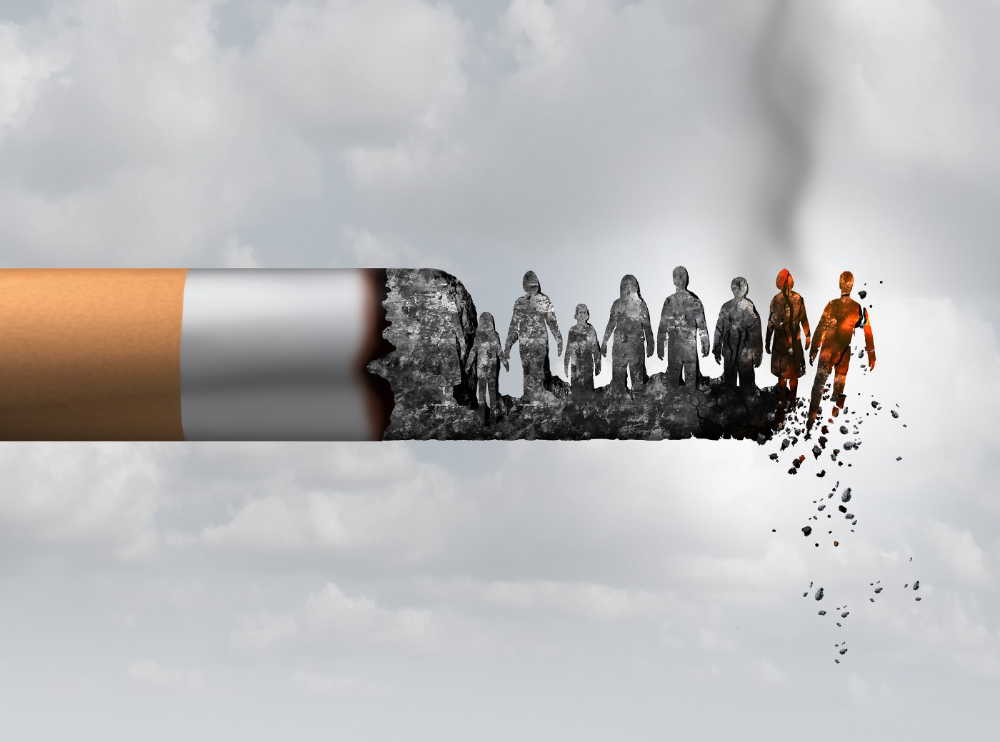
I started smoking in 2002 at IIT BHU. Most of us thought it was enjoyable at first. I didn't realize the cost later.
In 2005, during my final semester, I lost my father. Suddenly, I felt more accountable for my mother and myself.
I quit before starting my first job in Bangalore. I didn't see any smoking friends in my hometown for 2 months before moving to Bangalore.
For the next 5-6 years, I had no regimen and smoked only when drinking.
Due to personal concerns, I started smoking again after my 2011 marriage. Now smoking was a constant guilty pleasure.
I smoked 3-4 cigarettes a day, but never in front of my family or on weekends. I used to excuse this with pride! First office ritual: smoking. Even with guilt, I couldn't stop this time because of personal concerns.
After 8-9 years, in mid 2019, a personal development program solved all my problems. I felt complete in myself. After this, I just needed one cigarette each day.
The hardest thing was leaving this final cigarette behind, even though I didn't want it.
James Clear's Atomic Habits was published last year. I'd only read 2-3 non-tech books before reading this one in August 2021. I knew everything but couldn't use it.
In April 2022, I realized the compounding effect of a bad habit thanks to my subconscious mind. 1 cigarette per day (excluding weekends) equals 240 = 24 packs per year, which is a lot. No matter how much I did, it felt negative.
Then I applied the 2nd principle of this book, identifying the trigger. I tried to identify all the major triggers of smoking. I found social drinking is one of them & If I am able to control it during that time, I can easily control it in other situations as well. Going further whenever I drank, I was pre-determined to ignore the craving at any cost. Believe me, it was very hard initially but gradually this craving started fading away even with drinks.
I've been smoke-free for 3 months. Now I know a bad habit's effects. After realizing the power of habits, I'm developing other good habits which I ignored all my life.

Bradley Vangelder
3 years ago
How we started and then quickly sold our startup
From a simple landing where we tested our MVP to a platform that distributes 20,000 codes per month, we learned a lot.

Starting point
Kwotet was my first startup. Everyone might post book quotes online.
I wanted a change.
Kwotet lacked attention, thus I felt stuck. After experiencing the trials of starting Kwotet, I thought of developing a waitlist service, but I required a strong co-founder.
I knew Dries from school, but we weren't close. He was an entrepreneurial programmer who worked a lot outside school. I needed this.
We brainstormed throughout school hours. We developed features to put us first. We worked until 3 am to launch this product.
Putting in the hours is KEY when building a startup

The instant that we lost our spark
In Belgium, college seniors do their internship in their last semester.
As we both made the decision to pick a quite challenging company, little time was left for Lancero.
Eventually, we lost interest. We lost the spark…
The only logical choice was to find someone with the same spark we started with to acquire Lancero.
And we did @ MicroAcquire.
Sell before your product dies. Make sure to profit from all the gains.
What did we do following the sale?
Not far from selling Lancero I lost my dad. I was about to start a new company. It was focused on positivity. I got none left at the time.
We still didn’t let go of the dream of becoming full-time entrepreneurs. As Dries launched the amazing company Plunk, and I’m still in the discovering stages of my next journey!

Dream!
You’re an entrepreneur if:
You're imaginative.
You enjoy disassembling and reassembling things.
You're adept at making new friends.
YOU HAVE DREAMS.
You don’t need to believe me if I tell you “everything is possible”… I wouldn't believe it myself if anyone told me this 2 years ago.
Until I started doing, living my dreams.

Hector de Isidro
3 years ago
Why can't you speak English fluently even though you understand it?
Many of us have struggled for years to master a second language (in my case, English). Because (at least in my situation) we've always used an input-based system or method.
I'll explain in detail, but briefly: We can understand some conversations or sentences (since we've trained), but we can't give sophisticated answers or speak fluently (because we have NOT trained at all).
What exactly is input-based learning?
Reading, listening, writing, and speaking are key language abilities (if you look closely at that list, it seems that people tend to order them in this way: inadvertently giving more priority to the first ones than to the last ones).
These talents fall under two learning styles:
Reading and listening are input-based activities (sometimes referred to as receptive skills or passive learning).
Writing and speaking are output-based tasks (also known as the productive skills and/or active learning).
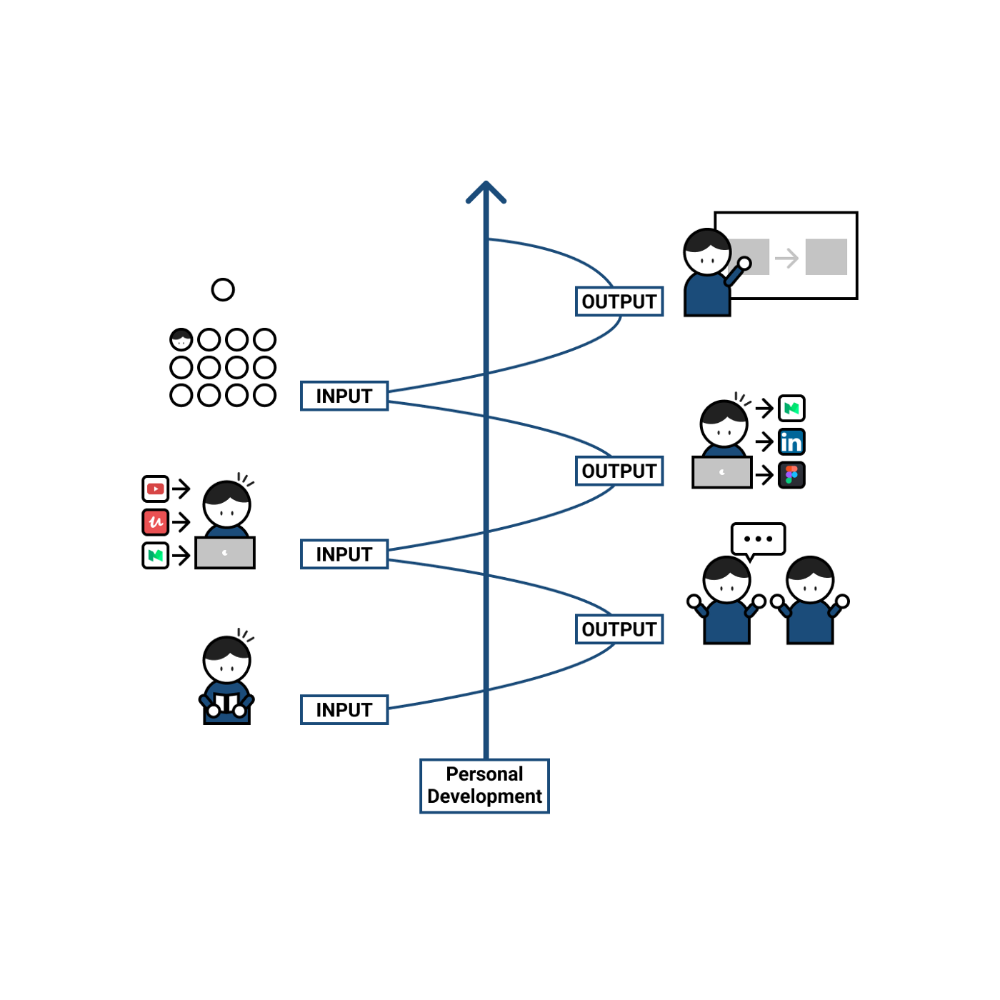
What's the best learning style? To learn a language, we must master four interconnected skills. The difficulty is how much time and effort we give each.
According to Shion Kabasawa's books The Power of Input: How to Maximize Learning and The Power of Output: How to Change Learning to Outcome (available only in Japanese), we spend 7:3 more time on Input Based skills than Output Based skills when we should be doing the opposite, leaning more towards Output (Input: Output->3:7).
I can't tell you how he got those numbers, but I think he's not far off because, for example, think of how many people say they're learning a second language and are satisfied bragging about it by only watching TV, series, or movies in VO (and/or reading a book or whatever) their Input is: 7:0 output!
You can't be good at a sport by watching TikTok videos about it; you must play.
“being pushed to produce language puts learners in a better position to notice the ‘gaps’ in their language knowledge”, encouraging them to ‘upgrade’ their existing interlanguage system. And, as they are pushed to produce language in real time and thereby forced to automate low-level operations by incorporating them into higher-level routines, it may also contribute to the development of fluency. — Scott Thornbury (P is for Push)
How may I practice output-based learning more?
I know that listening or reading is easy and convenient because we can do it on our own in a wide range of situations, even during another activity (although, as you know, it's not ideal), writing can be tedious/boring (it's funny that we almost always excuse ourselves in the lack of ideas), and speaking requires an interlocutor. But we must leave our comfort zone and modify our thinking to go from 3:7 to 7:3. (or at least balance it better to something closer). Gradually.
“You don’t have to do a lot every day, but you have to do something. Something. Every day.” — Callie Oettinger (Do this every day)
We can practice speaking like boxers shadow box.
Speaking out loud strengthens the mind-mouth link (otherwise, you will still speak fluently in your mind but you will choke when speaking out loud). This doesn't mean we should talk to ourselves on the way to work, while strolling, or on public transportation. We should try to do it without disturbing others, such as explaining what we've heard, read, or seen (the list is endless: you can TALK about what happened yesterday, your bedtime book, stories you heard at the office, that new kitten video you saw on Instagram, an experience you had, some new fact, that new boring episode you watched on Netflix, what you ate, what you're going to do next, your upcoming vacation, what’s trending, the news of the day)
Who will correct my grammar, vocabulary, or pronunciation with an imagined friend? We can't have everything, but tools and services can help [1].
Lack of bravery
Fear of speaking a language different than one's mother tongue in front of native speakers is global. It's easier said than done, because strangers, not your friends, will always make fun of your accent or faults. Accept it and try again. Karma will prevail.
Perfectionism is a trap. Stop self-sabotaging. Communication is key (and for that you have to practice the Output too ).
“Don’t forget to have fun and enjoy the process.” — Ruri Ohama
[1] Grammarly, Deepl, Google Translate, etc.