Integrity
Write
Loading...
Peter Steven Ho

Peter Steven Ho

3 years ago

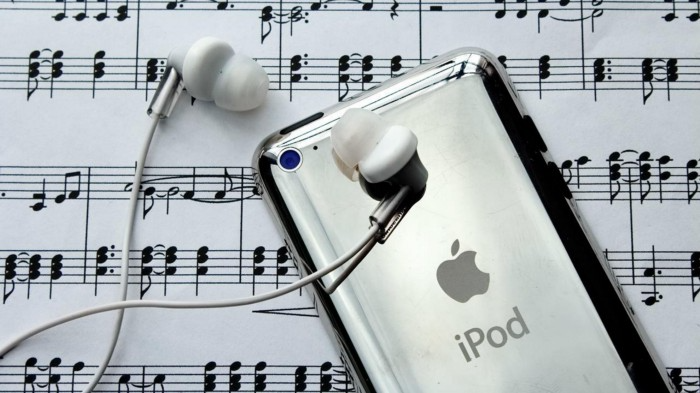
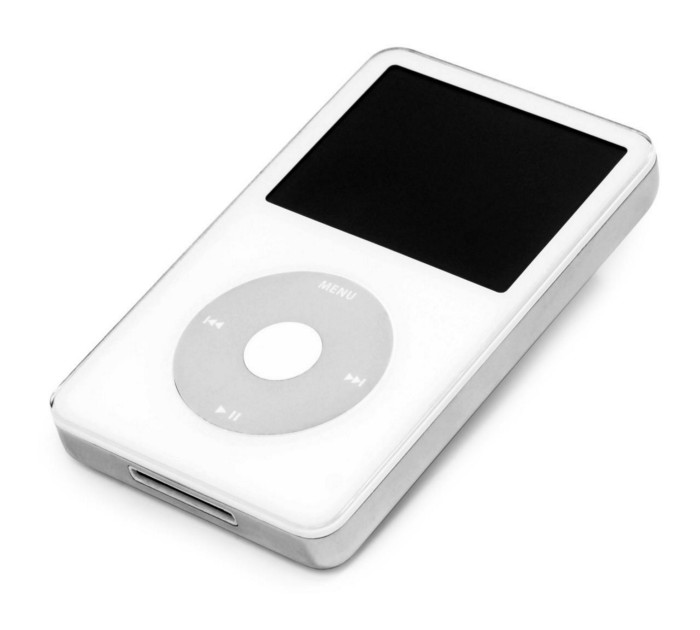
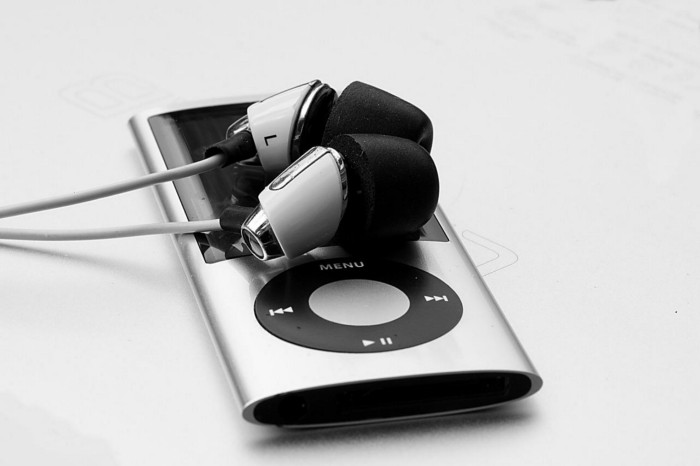
Thank You for 21 Fantastic Years, iPod

More on Lifestyle

Architectural Digest

Architectural Digest

3 years ago

Take a look at The One, a Los Angeles estate with a whopping 105,000 square feet of living area.

The interiors of the 105,000-square-foot property, which sits on a five-acre parcel in the wealthy Los Angeles suburb of Bel Air and is suitably titled The One, have been a well guarded secret. We got an intimate look inside this world-record-breaking property, as well as the creative and aesthetic geniuses behind it.

The estate appears to float above the city, surrounded on three sides by a moat and a 400-foot-long running track. Completed over eight years—and requiring 600 workers to build—the home was designed by architect Paul McClean and interior designer Kathryn Rotondi, who were enlisted by owner and developer Nile Niami to help it live up to its standard.
"This endeavor seemed both exhilarating and daunting," McClean says. However, the home's remarkable location and McClean's long-standing relationship with Niami persuaded him to "build something unique and extraordinary" rather than just take on the job.

And McClean has more than delivered.

The home's main entrance leads to a variety of meeting places with magnificent 360-degree views of the Pacific Ocean, downtown Los Angeles, and the San Gabriel Mountains, thanks to its 26-foot-high ceilings. There is water at the entrance area, as well as a sculpture and a bridge. "We often employ water in our design approach because it provides a sensory change that helps you acclimatize to your environment," McClean explains.

Niami wanted a neutral palette that would enable the environment and vistas to shine, so she used black, white, and gray throughout the house.

McClean has combined the home's inside with outside "to create that quintessential L.A. lifestyle but on a larger scale," he says, drawing influence from the local environment and history of Los Angeles modernism. "We separated the entertaining spaces from the living portions to make the house feel more livable. The former are on the lowest level, which serves as a plinth for the rest of the house and minimizes its apparent mass."

The home's statistics, in addition to its eye-catching style, are equally impressive. There are 42 bathrooms, 21 bedrooms, a 5,500-square-foot master suite, a 30-car garage gallery with two car-display turntables, a four-lane bowling alley, a spa level, a 30-seat movie theater, a "philanthropy wing (with a capacity of 200) for charity galas, a 10,000-square-foot sky deck, and five swimming pools.

Rotondi, the creator of KFR Design, collaborated with Niami on the interior design to create different spaces that flow into one another despite the house's grandeur. "I was especially driven to 'wow factor' components in the hospitality business," Rotondi says, citing top luxury hotel brands such as Aman, Bulgari, and Baccarat as sources of inspiration. Meanwhile, the home's color scheme, soft textures, and lighting are a nod to Niami and McClean's favorite Tom Ford boutique on Rodeo Drive.

The house boasts an extraordinary collection of art, including a butterfly work by Stephen Wilson on the lower level and a Niclas Castello bespoke panel in black and silver in the office, thanks to a cooperation between Creative Art Partners and Art Angels. There is also a sizable collection of bespoke furniture pieces from byShowroom.

A house of this size will never be erected again in Los Angeles, thanks to recently enacted city rules, so The One will truly be one of a kind. "For all of us, this project has been such a long and instructive trip," McClean says. "It was exciting to develop and approached with excitement, but I don't think any of us knew how much effort and time it would take to finish the project."

Josh Chesler

3 years ago

10 Sneaker Terms Every Beginner Should Know

So you want to get into sneakers? Buying a few sneakers and figuring it out seems simple. Then you miss out on the weekend's instant-sellout releases, so you head to eBay, Twitter, or your local  sneaker group to see what's available, since you're probably not ready to pay Flight Club prices just yet.

That's when you're bombarded with new nicknames, abbreviations, and general sneaker slang. It would take months to explain every word and sneaker, so here's a starter kit of ten simple terms to get you started. (Yeah, mostly Jordan. Does anyone really start with Kith or Nike SB?)

10. Colorways

Colorways are a common term in fashion, design, and other visual fields. It's just the product's color scheme. In the case of sneakers, the colorway is often as important as the actual model. Are this year's "Chicago" Air Jordan 1s more durable than last year's "Black/Gum" colorway? Because of their colorway and rarity, the Chicagos are worth roughly three pairs of the Black/Gum kicks.

Pro Tip: A colorway with a well-known nickname is almost always worth more than one without, and the same goes for collaborations.

9. Beaters

A “beater” is a well-worn, likely older model of shoe that has significant wear and tear on it. Rarely sold with the original box or extra laces, beaters rarely sell for much. Unlike most “worn” sneakers, beaters are used for rainy days and the gym. It's exactly what it sounds like, a box full of beaters, and they're a good place to start if you're looking for some cheap old kicks.

Pro Tip: Know which shoes clean up nicely. The shape of lower top sneakers with wider profiles, like SB Dunk Lows and Air Jordan 3s, tends to hold better over time than their higher and narrower cousins.

8. Retro

In the world of Jordan Brand, a “Retro” release is simply a release (or re-release) of a colorway after the shoe model's initial release. For example, the original Air Jordan 7 was released in 1992, but the Bordeaux colorway was re-released in 2011 and recently (2015). An Air Jordan model is released every year, and while half of them are unpopular and unlikely to be Retroed soon, any of them could be re-released whenever Nike and Jordan felt like it.

Pro Tip: Now that the Air Jordan line has been around for so long, the model that tends to be heavily retroed in a year is whichever shoe came out 23 (Michael Jordan’s number during the prime of his career) years ago. The Air Jordan 6 (1991) got new colorways last year, the Air Jordan 7 this year, and more Air Jordan 8s will be released later this year and early next year (1993).

7. PP/Inv

In spite of the fact that eBay takes roughly 10% of the final price, many sneaker buyers and sellers prefer to work directly with PayPal. Selling sneakers for $100 via PayPal invoice or $100 via PayPal friends/family is common on social media. Because no one wants their eBay account suspended for promoting PayPal deals, many eBay sellers will simply state “Message me for a better price.”

Pro Tip: PayPal invoices protect buyers well, but gifting or using Google Wallet does not. Unless you're certain the seller is legitimate, only use invoiced goods/services payments.

6. Yeezy

Kanye West and his sneakers are known as Yeezys. The rapper's first two Yeezys were made by Nike before switching to Adidas. Everything Yeezy-related will be significantly more expensive (and therefore have significantly more fakes made). Not only is the Nike Air Yeezy 2 “Red October” one of the most sought-after sneakers, but the Yeezy influence can be seen everywhere.

Pro Tip: If you're going to buy Yeezys, make sure you buy them from a reputable retailer or reseller. With so many fakes out there, it's not worth spending a grand on something you're not 100% sure is real.

5. GR/Limited

Regardless of how visually repulsive, uncomfortable, and/or impractical a sneaker is, if it’s rare enough, people will still want it. GR stands for General Release, which means they're usually available at retail. Reselling a “Limited Edition” release is costly. Supply and demand, but in this case, the limited supply drives up demand. If you want to get some of the colorways made for rappers, NBA players (Player Exclusive or PE models), and other celebrities, be prepared to pay a premium.

Pro Tip: Limited edition sneakers, like the annual Doernbecher Freestyle sneakers Nike creates with kids from Portland's Doernbecher Children's Hospital, will always be more expensive and limited. Or, you can use automated sneaker-buying software.

4. Grails

A “grail” is a pair of sneakers that someone desires above all others. To obtain their personal grails, people are willing to pay significantly more than the retail price. There doesn't have to be any rhyme or reason why someone chose a specific pair as their grails.

Pro Tip: For those who don't have them, the OG "Bred" or "Royal" Air Jordan 1s, the "Concord" Air Jordan 11s, etc., are all grails.

3. Bred

Anything released in “Bred” (black and red) will sell out quickly. Most resale Air Jordans (and other sneakers) come in the Bred colorway, which is a fan favorite. Bred is a good choice for a first colorway, especially on a solid sneaker silhouette.

Pro Tip: Apart from satisfying the world's hypebeasts, Bred sneakers will probably match a lot of your closet.

2. DS

DS = Deadstock = New. That's it. If something has been worn or tried on, it is no longer DS. Very Near Deadstock (VNDS) Pass As Deadstock It's a cute way of saying your sneakers have been worn but are still in good shape. In the sneaker world, “worn” means they are no longer new, but not too old or beat up.

Pro Tip: Ask for photos of any marks or defects to see what you’re getting before you buy used shoes, also find out if they come with the original box and extra laces, because that can be a sign that they’re in better shape.

1. Fake/Unauthorized

The words “Unauthorized,” “Replica,” “B-grades,” and “Super Perfect” all mean the shoes are fake. It means they aren't made by the actual company, no matter how close or how good the quality. If that's what you want, go ahead and get them. Do not wear them if you do not want the rest of the sneaker world to mock them.

Pro Tip: If you’re not sure if shoes are real or not, do a “Legit Check” on Twitter or Facebook. You'll get dozens of responses in no time.

Tech With Dom

Tech With Dom

3 years ago

6 Awesome Desk Accessories You Must Have!

My Desk Setup

I'm gadget-obsessed. So I shared my top 6 desk gadgets.

These gadgets improve my workflow and are handy for working from home.

Without further ado...

Computer light bar Xiaomi Mi

Xiaomi Mi Monitor Light Bar

I've previously recommended the Xiaomi Mi Light Bar, and I still do. It's stylish and convenient.

The Mi bar is a monitor-mounted desk lamp. The lamp's hue and brightness can be changed with a stylish wireless remote.

Changeable hue and brightness make it ideal for late-night work.

Desk Mat 2.

Razer Goliathus Extended Chroma Mouse Mat

I wasn't planning to include a desk surface in this article, but I find it improves computer use.

The mouse feels smoother and is a better palm rest than wood or glass.

I'm currently using the overkill Razer Goliathus Extended Chroma RGB Gaming Surface, but I like RGB.

Using a desk surface or mat makes computer use more comfortable, and it's not expensive.

Third, the Logitech MX Master 3 Mouse

Logitech MX Master 3

The Logitech MX Master 3 or any from the MX Master series is my favorite mouse.

The side scroll wheel on these mice is a feature I've never seen on another mouse.

Side scroll wheels are great for spreadsheets and video editing. It would be hard for me to switch from my Logitech MX Master 3 to another mouse. Only gaming is off-limits.

Google Nest 4.

Google Nest Hub 2nd Generation

Without a smart assistant, my desk is useless. I'm currently using the second-generation Google Nest Hub, but I've also used the Amazon Echo Dot, Echo Spot, and Apple HomePod Mini.

As a Pixel 6 Pro user, the Nest Hub works best with my phone.

My Nest Hub plays news, music, and calendar events. It also lets me control lights and switches with my smartphone. It plays YouTube videos.

Google Pixel Stand, No. 5

Google Pixel Stand 2nd Generation

A wireless charger on my desk is convenient for charging my phone and other devices while I work. My desk has two wireless chargers. I have a Satechi aluminum fast charger and a second-generation Google Pixel Stand.

If I need to charge my phone and earbuds simultaneously, I use two wireless chargers. Satechi chargers are well-made and fast. Micro-USB is my only complaint.

The Pixel Stand converts compatible devices into a smart display for adjusting charging speeds and controlling other smart devices. My Pixel 6 Pro charges quickly. Here's my video review.

6. Anker Power Bank

Anker 65W Charger

Anker's 65W charger is my final recommendation. This online find was a must-have. This can charge my laptop and several non-wireless devices, perfect for any techie!

The charger has two USB-A ports and two USB-C ports, one with 45W and the other with 20W, so it can charge my iPad Pro and Pixel 6 Pro simultaneously.

Summary

These are some of my favorite office gadgets. My kit page has an updated list.

Links to the products mentioned in this article are in the appropriate sections. These are affiliate links.

You're up! Share the one desk gadget you can't live without and why.

You might also like

CyberPunkMetalHead

CyberPunkMetalHead

2 years ago

I made ChatGPT copy itself.

OpenAI's ChatGPT is an amazing AI-powered chatbot. It can write poetry, stories, and marketing campaigns, and it's also adept at coding. ChatGPT's coding is so amazing that it replicated itself. What happened:

Me: Hi

Hello! Can I help? I'll answer any inquiries you have.

Me: Build a python and flask AI chatbot that responds to user messages on the frontend.

CGPT:

from flask import Flask, request, jsonify

import openai
openai.api_key = "YOUR_API_KEY"

@app.route('/chatbot', methods=['POST'])
def chatbot():
    user_message = request.get_json()['message']
    response = chatbot_response(user_message)
    return jsonify({'response': response})


def chatbot_response(user_message):
    response = openai.Completion.create(
        engine="text-davinci-002",
        prompt=user_message,
        max_tokens=1024,
        n = 1,
        temperature=0.5
    )
    return response['choices'][0]['text']

if __name__ == '__main__':
    app.run()

To integrate a chatbot with a frontend, use Flask to serve an HTML page with a form for user messages and the chatbot's answer. AJAX can submit the form to the /chatbot route, and JavaScript can show the chatbot's response.

I imported code snippets at the top of the file.

Let's add a frontend interface, I said.

CGPT:

<!DOCTYPE html>
<html>
<head>
    <title>AI Chatbot</title>
</head>
<body>
    <h1>AI Chatbot</h1>
    <form id="chatbot-form">
        <label for="message">Message:</label><br>
        <input type="text" id="message" name="message"><br>
        <input type="submit" value="Submit">
    </form> 
    <div id="chatbot-response"></div>

    <script src="https://ajax.googleapis.com/ajax/libs/jquery/3.5.1/jquery.min.js"></script>
    <script>
        $(document).ready(function() {
            $("#chatbot-form").submit(function(e) {
                e.preventDefault();
                var userMessage = $("#message").val();
                $.ajax({
                    type: "POST",
                    url: "/chatbot",
                    data: JSON.stringify({message: userMessage}),
                    contentType: "application/json; charset=utf-8",
                    dataType: "json",
                    success: function(response) {
                        $("#chatbot-response").text(response.response);
                    }
                });
            });
        });
    </script>
</body>
</html>

To serve this HTML page using Flask, build a new route that returns the page as a GET response.

So far, so good.

Looked quite basic so I got chatGPT to add some tailwind to the project.

Me: Tailwind the chatbot.html page, please. Give it a futuristic style with purple and neon

After a few more prompts, Talk GPT aligned the form to the center, changed some colors, and added padding.

CGPT:

<!DOCTYPE html>
<html>
<head>
    <title>AI Chatbot</title>
    <link href="https://unpkg.com/tailwindcss@^1.0/dist/tailwind.min.css" rel="stylesheet">
</head>
<body class="bg-black flex flex-col justify-center items-center">
    <h1 class="sm:text-center text-purple-500">AI Chatbot</h1>
    <form id="chatbot-form" class="border-purple-500 bg-purple-800 rounded">
        <label for="message">Message:</label><br>
        <input type="text" id="message" name="message" class="min-w-30 rounded"><br>
        <input type="submit" value="Submit" class="bg-purple-500 border-red-500 transform hover:scale-110 rounded">
    </form> 
    <div class="flex justify-center">
        <div id="chatbot-response" class="text-white rounded"></div>
    </div>

    <script src="https://ajax.googleapis.com/ajax/libs/jquery/3.5.1/jquery.min.js"></script>
    <script>
        var colors = ['red', 'orange', 'yellow', 'green', 'blue', 'indigo', 'violet'];
        var colorIndex = 0;
        
        $(document).ready(function() {
            setInterval(function() {
                $("#chatbot-form").css('border-color', colors[colorIndex]);
                colorIndex = (colorIndex + 1) % colors.length;
            }, 1000);

            $("#chatbot-form").submit(function(e) {
                e.preventDefault();
                var userMessage = $("#message").val();
                $.ajax({
                    type: "POST",
                    url: "/chatbot",
                    data: JSON.stringify({message: userMessage}),
                    contentType: "application/json; charset=utf-8",
                    dataType: "json",
                    success: function(response) {
                        $("#chatbot-response").text(response.response);
                    }
                });
            });
        });
    </script>
</body>
</html>

Improved:

A few more prompts like “Add more vertical and horizontal padding to the submit button and vertical margin, and vertically align this file's body.”

The result:

Is it effective? Now, I'll chat with ChatGPT's AI Chatbot. I intervened minimally throughout construction. Chat GPT created numerous files, connected and interacted with its own API, and presented the user request response on the front end by itself.

Me to AI Chatbot: Hey, can you give me 6 name suggestions for a black horse?

Me to AI Chatbot: Write a poem in the style of Jim Morrison. Make sure to mention cacti and black holes

ChatGPTs Chatbot:

In the desert night, I am confronted by cacti, 
Their arms reaching out, As if to grab me and take me away. 
The stars in the sky, Beckon me to come, 
To a world of black holes, Where I can be free. 
I am in a trance, My body and mind, 
In a state of limbo, As I wander the night. 
I hear a voice, Calling me to the unknown, 
I cannot resist, The lure of the black hole. 
The cacti watch, As I take my leave, 
To a place of mystery, Where I can find peace.

Of course, the next question I gave it was to build a chatbot!

Me: Build a python and flask AI chatbot that responds to user messages on the frontend.

ChatbotGPTs:

import os from flask 
import Flask, request, jsonify 
from chatterbot 
import ChatBot 
from chatterbot.trainers 
import ListTrainer 

# Create a new chatbot 
bot = ChatBot( 
  "My Bot", 
  storage_adapter="chatterbot.storage.SQLStorageAdapter", 
  logic_adapters=[ 
    "chatterbot.logic.BestMatch", 
    { "import_path": "chatterbot.logic.BestMatch", 
      "statement_comparison_function": "chatterbot.comparisons.levenshtein_distance", 
       "response_selection_method": "chatterbot.response_selection.get_first_response" } 
    ], 
    database_uri="sqlite:///database.sqlite3" ) 

# Train the chatbot with a few sample conversations 
conversation = [ "Hello", "Hi there!", "How are you doing?", "I'm doing great.", "That is good to hear", "Thank you.", "You're welcome." ] 
trainer = ListTrainer(bot) trainer.train(conversation) 

# Create a Flask app 
app = Flask(__name__) 

# Define a route for the default URL 
@app.route("/") def index(): return "<h1>Chatbot</h1>" 

# Define a route for the /get_response URL 
@app.route("/get_response", methods=["POST"]) 

def get_response(): 
# Get the user's message 
user_message = request.form["user_message"] 
# Get the bot's response 
bot_response = bot.get_response(user_message) 
# Return the bot's response 
return str(bot_response) 
# Run the Flask 
app if __name__ == "__main__": app.run()

No matter how many times I tried, the second generation always used chatterbot instead of the ChatGPT API. Even when I told it to use the ChatGPT API, it didn't.

ChatGTP's ability to reproduce or construct other machine learning algorithms is interesting and possibly terrifying. Nothing prevents ChatGPT from replicating itself ad infinitum throughout the Internet other than a lack of desire. This may be the first time a machine repeats itself, so I've preserved the project as a reference. Adding a requirements.txt file and python env for easier deployment is the only change to the code.

I hope you enjoyed this.

Stephen Moore

Stephen Moore

3 years ago

A Meta-Reversal: Zuckerberg's $71 Billion Loss 

The company's epidemic gains are gone.

Mid Journey: Prompt, ‘Mark Zuckerberg sad’

Mark Zuckerberg was in line behind Jeff Bezos and Bill Gates less than two years ago. His wealth soared to $142 billion. Facebook's shares reached $382 in September 2021.

What comes next is either the start of something truly innovative or the beginning of an epic rise and fall story.

In order to start over (and avoid Facebook's PR issues), he renamed the firm Meta. Along with the new logo, he announced a turn into unexplored territory, the Metaverse, as the next chapter for the internet after mobile. Or, Zuckerberg believed Facebook's death was near, so he decided to build a bigger, better, cooler ship. Then we saw his vision (read: dystopian nightmare) in a polished demo that showed Zuckerberg in a luxury home and on a spaceship with aliens. Initially, it looked entertaining. A problem was obvious, though. He might claim this was the future and show us using the Metaverse for business, play, and more, but when I took off my headset, I'd realize none of it was genuine.

The stock price is almost as low as January 2019, when Facebook was dealing with the aftermath of the Cambridge Analytica crisis.

Irony surrounded the technology's aim. Zuckerberg says the Metaverse connects people. Despite some potential uses, this is another step away from physical touch with people. Metaverse worlds can cause melancholy, addiction, and mental illness. But forget all the cool stuff you can't afford. (It may be too expensive online, too.)

Metaverse activity slowed for a while. In early February 2022, we got an earnings call update. Not good. Reality Labs lost $10 billion on Oculus and Zuckerberg's Metaverse. Zuckerberg expects losses to rise. Meta's value dropped 20% in 11 minutes after markets closed.

It was a sign of things to come.

The corporation has failed to create interest in Metaverse, and there is evidence the public has lost interest. Meta still relies on Facebook's ad revenue machine, which is also struggling. In July, the company announced a decrease in revenue and missed practically all its forecasts, ending a decade of exceptional growth and relentless revenue. They blamed a dismal advertising demand climate, and Apple's monitoring changes smashed Meta's ad model. Throw in whistleblowers, leaked data revealing the firm knows Instagram negatively affects teens' mental health, the current Capital Hill probe, and the fact TikTok is eating its breakfast, lunch, and dinner, and 2022 might be the corporation's worst year ever.

After a rocky start, tech saw unprecedented growth during the pandemic. It was a tech bubble and then some.

The gains reversed after the dust settled and stock markets adjusted. Meta's year-to-date decline is 60%. Apple Inc is down 14%, Amazon is down 26%, and Alphabet Inc is down 29%. At the time of writing, Facebook's stock price is almost as low as January 2019, when the Cambridge Analytica scandal broke. Zuckerberg owns 350 million Meta shares. This drop costs him $71 billion.

The company's problems are growing, and solutions won't be easy.

  • Facebook's period of unabated expansion and exorbitant ad revenue is ended, and the company's impact is dwindling as it continues to be the program that only your parents use. Because of the decreased ad spending and stagnant user growth, Zuckerberg will have less time to create his vision for the Metaverse because of the declining stock value and decreasing ad spending.

  • Instagram is progressively dying in its attempt to resemble TikTok, alienating its user base and further driving users away from Meta-products.

  • And now that the corporation has shifted its focus to the Metaverse, it is clear that, in its eagerness to improve its image, it fired the launch gun too early. You're fighting a lost battle when you announce an idea and then claim it won't happen for 10-15 years. When the idea is still years away from becoming a reality, the public is already starting to lose interest.

So, as I questioned earlier, is it the beginning of a technological revolution that will take this firm to stratospheric growth and success, or are we witnessing the end of Meta and Zuckerberg himself?

Leonardo Castorina

Leonardo Castorina

3 years ago

How to Use Obsidian to Boost Research Productivity

Tools for managing your PhD projects, reading lists, notes, and inspiration.

As a researcher, you have to know everything. But knowledge is useless if it cannot be accessed quickly. An easy-to-use method of archiving information makes taking notes effortless and enjoyable.
As a PhD student in Artificial Intelligence, I use Obsidian (https://obsidian.md) to manage my knowledge.

The article has three parts:

  1. What is a note, how to organize notes, tags, folders, and links? This section is tool-agnostic, so you can use most of these ideas with any note-taking app.
  2. Instructions for using Obsidian, managing notes, reading lists, and useful plugins. This section demonstrates how I use Obsidian, my preferred knowledge management tool.
  3. Workflows: How to use Zotero to take notes from papers, manage multiple projects' notes, create MOCs with Dataview, and more. This section explains how to use Obsidian to solve common scientific problems and manage/maintain your knowledge effectively.

This list is not perfect or complete, but it is my current solution to problems I've encountered during my PhD. Please leave additional comments or contact me if you have any feedback. I'll try to update this article.
Throughout the article, I'll refer to your digital library as your "Obsidian Vault" or "Zettelkasten".
Other useful resources are listed at the end of the article.

1. Philosophy: Taking and organizing notes

Carl Sagan: “To make an apple pie from scratch, you must first create the universe.”

Before diving into Obsidian, let's establish a Personal Knowledge Management System and a Zettelkasten. You can skip to Section 2 if you already know these terms.
Niklas Luhmann, a prolific sociologist who wrote 400 papers and 70 books, inspired this section and much of Zettelkasten. Zettelkasten means “slip box” (or library in this article). His Zettlekasten had around 90000 physical notes, which can be found here.
There are now many tools available to help with this process. Obsidian's website has a good introduction section: https://publish.obsidian.md/hub/

Notes

We'll start with "What is a note?" Although it may seem trivial, the answer depends on the topic or your note-taking style. The idea is that a note is as “atomic” (i.e. You should read the note and get the idea right away.
The resolution of your notes depends on their detail. Deep Learning, for example, could be a general description of Neural Networks, with a few notes on the various architectures (eg. Recurrent Neural Networks, Convolutional Neural Networks etc..).
Limiting length and detail is a good rule of thumb. If you need more detail in a specific section of this note, break it up into smaller notes. Deep Learning now has three notes:

  • Deep Learning
  • Recurrent Neural Networks
    - Convolutional Neural Networks

Repeat this step as needed until you achieve the desired granularity. You might want to put these notes in a “Neural Networks” folder because they are all about the same thing. But there's a better way:

#Tags and [[Links]] over /Folders/

The main issue with folders is that they are not flexible and assume that all notes in the folder belong to a single category. This makes it difficult to make connections between topics.
Deep Learning has been used to predict protein structure (AlphaFold) and classify images (ImageNet). Imagine a folder structure like this:

- /Proteins/ 
     - Protein Folding
- /Deep Learning/
     - /Proteins/ 

Your notes about Protein Folding and Convolutional Neural Networks will be separate, and you won't be able to find them in the same folder.
This can be solved in several ways. The most common one is to use tags rather than folders. A note can be grouped with multiple topics this way. Obsidian tags can also be nested (have subtags).

You can also link two notes together. You can build your “Knowledge Graph” in Obsidian and other note-taking apps like Obsidian.


My Knowledge Graph. Green: Biology, Red: Machine Learning, Yellow: Autoencoders, Blue: Graphs, Brown: Tags.


My Knowledge Graph and the note “Backrpropagation” and its links.


Backpropagation note and all its links

Why use Folders?

Folders help organize your vault as it grows. The main suggestion is to have few folders that "weakly" collect groups of notes or better yet, notes from different sources.
Among my Zettelkasten folders are:


My Zettelkasten's 5 folders

They usually gather data from various sources:

MOC: Map of Contents for the Zettelkasten.
Projects: Contains one note for each side-project of my PhD where I log my progress and ideas. Notes are linked to these.
Bio and ML: These two are the main content of my Zettelkasten and could theoretically be combined.
Papers: All my scientific paper notes go here. A bibliography links the notes. Zotero .bib file
Books: I make a note for each book I read, which I then split into multiple notes.

Keeping images separate from other files can help keep your main folders clean.

I will elaborate on these in the Workflow Section.

My general recommendation is to use tags and links instead of folders.

Maps of Content (MOC) 

Making Tables of Contents is a good solution (MOCs).
These are notes that "signposts" your Zettelkasten library, directing you to the right type of notes. It can link to other notes based on common tags. This is usually done with a title, then your notes related to that title. As an example:

An example of a Machine Learning MOC generated with Dataview.

As shown above, my Machine Learning MOC begins with the basics. Then it's on to Variational Auto-Encoders. Not only does this save time, but it also saves scrolling through the tag search section.
So I keep MOCs at the top of my library so I can quickly find information and see my library. These MOCs are generated automatically using an Obsidian Plugin called Dataview (https://github.com/blacksmithgu/obsidian-dataview).
Ideally, MOCs could be expanded to include more information about the notes, their status, and what's left to do. In the absence of this, Dataview does a fantastic job at creating a good structure for your notes.
In the absence of this, Dataview does a fantastic job at creating a good structure for your notes.

2. Tools: Knowing Obsidian

Obsidian is my preferred tool because it is free, all notes are stored in Markdown format, and each panel can be dragged and dropped. You can get it here: https://obsidian.md/

Obsidian interface. 

Obsidian is highly customizable, so here is my preferred interface:


The theme is customized from https://github.com/colineckert/obsidian-things

Alternatively, each panel can be collapsed, moved, or removed as desired. To open a panel later, click on the vertical "..." (bottom left of the note panel).

My interface is organized as follows:

How my Obsidian Interface is organized.

Folders/Search:
This is where I keep all relevant folders. I usually use the MOC note to navigate, but sometimes I use the search button to find a note.

Tags:
I use nested tags and look into each one to find specific notes to link.

cMenu:
Easy-to-use menu plugin cMenu (https://github.com/chetachiezikeuzor/cMenu-Plugin)

Global Graph:
The global graph shows all your notes (linked and unlinked). Linked notes will appear closer together. Zoom in to read each note's title. It's a bit overwhelming at first, but as your library grows, you get used to the positions and start thinking of new connections between notes.

Local Graph:
Your current note will be shown in relation to other linked notes in your library. When needed, you can quickly jump to another link and back to the current note.

Links:
Finally, an outline panel and the plugin Obsidian Power Search (https://github.com/aviral-batra/obsidian-power-search) allow me to search my vault by highlighting text.

Start using the tool and worry about panel positioning later. I encourage you to find the best use-case for your library.

Plugins

An additional benefit of using Obsidian is the large plugin library. I use several (Calendar, Citations, Dataview, Templater, Admonition):
Obsidian Calendar Plugin: https://github.com/liamcain
It organizes your notes on a calendar. This is ideal for meeting notes or keeping a journal.

Calendar addon from hans/obsidian-citation-plugin
Obsidian Citation Plugin: https://github.com/hans/
Allows you to cite papers from a.bib file. You can also customize your notes (eg. Title, Authors, Abstract etc..)

Plugin citation from hans/obsidian-citation-plugin
Obsidian Dataview: https://github.com/blacksmithgu/
A powerful plugin that allows you to query your library as a database and generate content automatically. See the MOC section for an example.
Allows you to create notes with specific templates like dates, tags, and headings.

Templater. Obsidian Admonition: https://github.com/valentine195/obsidian-admonition
Blocks allow you to organize your notes.

Plugin warning. Obsidian Admonition (valentine195)
There are many more, but this list should get you started.

3. Workflows: Cool stuff

Here are a few of my workflows for using obsidian for scientific research. This is a list of resources I've found useful for my use-cases. I'll outline and describe them briefly so you can skim them quickly.
3.1 Using Templates to Structure Notes
3.2 Free Note Syncing (Laptop, Phone, Tablet)
3.3 Zotero/Mendeley/JabRef -> Obsidian — Managing Reading Lists
3.4 Projects and Lab Books
3.5 Private Encrypted Diary

3.1 Using Templates to Structure Notes

Plugins: Templater and Dataview (optional).
To take effective notes, you must first make adding new notes as easy as possible. Templates can save you time and give your notes a consistent structure. As an example:


An example of a note using a template.

### [[YOUR MOC]]
# Note Title of your note
**Tags**:: 
**Links**::

The top line links to your knowledge base's Map of Content (MOC) (see previous sections). After the title, I add tags (and a link between the note and the tag) and links to related notes.
To quickly identify all notes that need to be expanded, I add the tag “#todo”. In the “TODO:” section, I list the tasks within the note.
The rest are notes on the topic.
Templater can help you create these templates. For new books, I use the following template:

### [[Books MOC]]
# Title
**Author**:: 
**Date::
**Tags:: 
**Links::


A book template example.

Using a simple query, I can hook Dataview to it.

dataview  
table author as Author, date as “Date Finished”, tags as “Tags”, grade as “Grade”  
from “4. Books”  
SORT grade DESCENDING


using Dataview to query templates.

3.2 Free Note Syncing (Laptop, Phone, Tablet)

No plugins used.

One of my favorite features of Obsidian is the library's self-contained and portable format. Your folder contains everything (plugins included).

Ordinary folders and documents are available as well. There is also a “.obsidian” folder. This contains all your plugins and settings, so you can use it on other devices.
So you can use Google Drive, iCloud, or Dropbox for free as long as you sync your folder (note: your folder should be in your Cloud Folder).

For my iOS and macOS work, I prefer iCloud. You can also use the paid service Obsidian Sync.
3.3 Obsidian — Managing Reading Lists and Notes in Zotero/Mendeley/JabRef
Plugins: Quotes (required).

3.3 Zotero/Mendeley/JabRef -> Obsidian — Taking Notes and Managing Reading Lists of Scientific Papers

My preferred reference manager is Zotero, but this workflow should work with any reference manager that produces a .bib file. This file is exported to my cloud folder so I can access it from any platform.

My Zotero library is tagged as follows:

My reference manager's tags

For readings, I usually search for the tags “!!!” and “To-Read” and select a paper. Annotate the paper next (either on PDF using GoodNotes or on physical paper).
Then I make a paper page using a template in the Citations plugin settings:


An example of my citations template.

Create a new note, open the command list with CMD/CTRL + P, and find the Citations “Insert literature note content in the current pane” to see this lovely view.


Citation generated by the article https://doi.org/10.1101/2022.01.24.22269144

You can then convert your notes to digital. I found that transcribing helped me retain information better.

3.4 Projects and Lab Books

Plugins: Tweaker (required).
PhD students offering advice on thesis writing are common (read as regret). I started asking them what they would have done differently or earlier.

“Deep stuff Leo,” one person said. So my main issue is basic organization, losing track of my tasks and the reasons for them.
As a result, I'd go on other experiments that didn't make sense, and have to reverse engineer my logic for thesis writing. - PhD student now wise Postdoc

Time management requires planning. Keeping track of multiple projects and lab books is difficult during a PhD. How I deal with it:

  • One folder for all my projects
  • One file for each project
    I use a template to create each project
### [[Projects MOC]]  
# <% tp.file.title %>  
**Tags**::  
**Links**::  
**URL**::  
**Project Description**::## Notes:  
### <% tp.file.last_modified_date(“dddd Do MMMM YYYY”) %>  
#### Done:  
#### TODO:  
#### Notes

You can insert a template into a new note with CMD + P and looking for the Templater option.

I then keep adding new days with another template:

### <% tp.file.last_modified_date("dddd Do MMMM YYYY") %>  
#### Done:  
#### TODO:  
#### Notes:

This way you can keep adding days to your project and update with reasonings and things you still have to do and have done. An example below:


Example of project note with timestamped notes.

3.5 Private Encrypted Diary

This is one of my favorite Obsidian uses.
Mini Diary's interface has long frustrated me. After the author archived the project, I looked for a replacement. I had two demands:

  1. It had to be private, and nobody had to be able to read the entries.
  2. Cloud syncing was required for editing on multiple devices.

Then I learned about encrypting the Obsidian folder. Then decrypt and open the folder with Obsidian. Sync the folder as usual.
Use CryptoMator (https://cryptomator.org/). Create an encrypted folder in Cryptomator for your Obsidian vault, set a password, and let it do the rest.
If you need a step-by-step video guide, here it is:

Conclusion

So, I hope this was helpful!
In the first section of the article, we discussed notes and note-taking techniques. We discussed when to use tags and links over folders and when to break up larger notes.
Then we learned about Obsidian, its interface, and some useful plugins like Citations for citing papers and Templater for creating note templates.
Finally, we discussed workflows and how to use Zotero to take notes from scientific papers, as well as managing Lab Books and Private Encrypted Diaries.
Thanks for reading and commenting :)

Read original post here