



More on Web3 & Crypto

James Howell
3 years ago
Which Metaverse Is Better, Decentraland or Sandbox?
The metaverse is the most commonly used term in current technology discussions. While the entire tech ecosystem awaits the metaverse's full arrival, defining it is difficult. Imagine the internet in the '80s! The metaverse is a three-dimensional virtual world where users can interact with digital solutions and each other as digital avatars.
The metaverse is a three-dimensional virtual world where users can interact with digital solutions and each other as digital avatars.
Among the metaverse hype, the Decentraland vs Sandbox debate has gained traction. Both are decentralized metaverse platforms with no central authority. So, what's the difference and which is better? Let us examine the distinctions between Decentraland and Sandbox.
2 Popular Metaverse Platforms Explained
The first step in comparing sandbox and Decentraland is to outline the definitions. Anyone keeping up with the metaverse news has heard of the two current leaders. Both have many similarities, but also many differences. Let us start with defining both platforms to see if there is a winner.
Decentraland
Decentraland, a fully immersive and engaging 3D metaverse, launched in 2017. It allows players to buy land while exploring the vast virtual universe. Decentraland offers a wide range of activities for its visitors, including games, casinos, galleries, and concerts. It is currently the longest-running metaverse project.
Decentraland began with a $24 million ICO and went public in 2020. The platform's virtual real estate parcels allow users to create a variety of experiences. MANA and LAND are two distinct tokens associated with Decentraland. MANA is the platform's native ERC-20 token, and users can burn MANA to get LAND, which is ERC-721 compliant. The MANA coin can be used to buy avatars, wearables, products, and names on Decentraland.
Sandbox
Sandbox, the next major player, began as a blockchain-based virtual world in 2011 and migrated to a 3D gaming platform in 2017. The virtual world allows users to create, play, own, and monetize their virtual experiences. Sandbox aims to empower artists, creators, and players in the blockchain community to customize the platform. Sandbox gives the ideal means for unleashing creativity in the development of the modern gaming ecosystem.
The project combines NFTs and DAOs to empower a growing community of gamers. A new play-to-earn model helps users grow as gamers and creators. The platform offers a utility token, SAND, which is required for all transactions.
What are the key points from both metaverse definitions to compare Decentraland vs sandbox?
It is ideal for individuals, businesses, and creators seeking new artistic, entertainment, and business opportunities. It is one of the rapidly growing Decentralized Autonomous Organization projects. Holders of MANA tokens also control the Decentraland domain.
Sandbox, on the other hand, is a blockchain-based virtual world that runs on the native token SAND. On the platform, users can create, sell, and buy digital assets and experiences, enabling blockchain-based gaming. Sandbox focuses on user-generated content and building an ecosystem of developers.
Sandbox vs. Decentraland
If you try to find what is better Sandbox or Decentraland, then you might struggle with only the basic definitions. Both are metaverse platforms offering immersive 3D experiences. Users can freely create, buy, sell, and trade digital assets. However, both have significant differences, especially in MANA vs SAND.
For starters, MANA has a market cap of $5,736,097,349 versus $4,528,715,461, giving Decentraland an advantage.
The MANA vs SAND pricing comparison is also noteworthy. A SAND is currently worth $3664, while a MANA is worth $2452.
The value of the native tokens and the market capitalization of the two metaverse platforms are not enough to make a choice. Let us compare Sandbox vs Decentraland based on the following factors.
Workstyle
The way Decentraland and Sandbox work is one of the main comparisons. From a distance, they both appear to work the same way. But there's a lot more to learn about both platforms' workings. Decentraland has 90,601 digital parcels of land.
Individual parcels of virtual real estate or estates with multiple parcels of land are assembled. It also has districts with similar themes and plazas, which are non-tradeable parcels owned by the community. It has three token types: MANA, LAND, and WEAR.
Sandbox has 166,464 plots of virtual land that can be grouped into estates. Estates are owned by one person, while districts are owned by two or more people. The Sandbox metaverse has four token types: SAND, GAMES, LAND, and ASSETS.
Age
The maturity of metaverse projects is also a factor in the debate. Decentraland is clearly the winner in terms of maturity. It was the first solution to create a 3D blockchain metaverse. Decentraland made the first working proof of concept public. However, Sandbox has only made an Alpha version available to the public.
Backing
The MANA vs SAND comparison would also include support for both platforms. Digital Currency Group, FBG Capital, and CoinFund are all supporters of Decentraland. It has also partnered with Polygon, the South Korean government, Cyberpunk, and Samsung.
SoftBank, a Japanese multinational conglomerate focused on investment management, is another major backer. Sandbox has the backing of one of the world's largest investment firms, as well as Slack and Uber.
Compatibility
Wallet compatibility is an important factor in comparing the two metaverse platforms. Decentraland currently has a competitive advantage. How? Both projects' marketplaces accept ERC-20 wallets. However, Decentraland has recently improved by bridging with Walletconnect. So it can let Polygon users join Decentraland.
Scalability
Because Sandbox and Decentraland use the Ethereum blockchain, scalability is an issue. Both platforms' scalability is constrained by volatile tokens and high gas fees. So, scalability issues can hinder large-scale adoption of both metaverse platforms.
Buying Land
Decentraland vs Sandbox comparisons often include virtual real estate. However, the ability to buy virtual land on both platforms defines the user experience and differentiates them. In this case, Sandbox offers better options for users to buy virtual land by combining OpenSea and Sandbox. In fact, Decentraland users can only buy from the MANA marketplace.
Innovation
The rate of development distinguishes Sandbox and Decentraland. Both platforms have been developing rapidly new features. However, Sandbox wins by adopting Polygon NFT layer 2 solutions, which consume almost 100 times less energy than Ethereum.
Collaborations
The platforms' collaborations are the key to determining "which is better Sandbox or Decentraland." Adoption of metaverse platforms like the two in question can be boosted by association with reputable brands. Among the partners are Atari, Cyberpunk, and Polygon. Rather, Sandbox has partnered with well-known brands like OpenSea, CryptoKitties, The Walking Dead, Snoop Dogg, and others.
Platform Adaptivity
Another key feature that distinguishes Sandbox and Decentraland is the ease of use. Sandbox clearly wins in terms of platform access. It allows easy access via social media, email, or a Metamask wallet. However, Decentraland requires a wallet connection.
Prospects
The future development plans also play a big role in defining Sandbox vs Decentraland. Sandbox's future development plans include bringing the platform to mobile devices. This includes consoles like PlayStation and Xbox. By the end of 2023, the platform expects to have around 5000 games.
Decentraland, on the other hand, has no set plan. In fact, the team defines the decisions that appear to have value. They plan to add celebrities, creators, and brands soon, along with NFT ads and drops.
Final Words
The comparison of Decentraland vs Sandbox provides a balanced view of both platforms. You can see how difficult it is to determine which decentralized metaverse is better now. Sandbox is still in Alpha, whereas Decentraland has a working proof of concept.
Sandbox, on the other hand, has better graphics and is backed by some big names. But both have a long way to go in the larger decentralized metaverse.

OnChain Wizard
3 years ago
How to make a >800 million dollars in crypto attacking the once 3rd largest stablecoin, Soros style
Everyone is talking about the $UST attack right now, including Janet Yellen. But no one is talking about how much money the attacker made (or how brilliant it was). Lets dig in.
Our story starts in late March, when the Luna Foundation Guard (or LFG) starts buying BTC to help back $UST. LFG started accumulating BTC on 3/22, and by March 26th had a $1bn+ BTC position. This is leg #1 that made this trade (or attack) brilliant.
The second leg comes in the form of the 4pool Frax announcement for $UST on April 1st. This added the second leg needed to help execute the strategy in a capital efficient way (liquidity will be lower and then the attack is on).
We don't know when the attacker borrowed 100k BTC to start the position, other than that it was sold into Kwon's buying (still speculation). LFG bought 15k BTC between March 27th and April 11th, so lets just take the average price between these dates ($42k).
So you have a ~$4.2bn short position built. Over the same time, the attacker builds a $1bn OTC position in $UST. The stage is now set to create a run on the bank and get paid on your BTC short. In anticipation of the 4pool, LFG initially removes $150mm from 3pool liquidity.
The liquidity was pulled on 5/8 and then the attacker uses $350mm of UST to drain curve liquidity (and LFG pulls another $100mm of liquidity).
But this only starts the de-pegging (down to 0.972 at the lows). LFG begins selling $BTC to defend the peg, causing downward pressure on BTC while the run on $UST was just getting started.
With the Curve liquidity drained, the attacker used the remainder of their $1b OTC $UST position ($650mm or so) to start offloading on Binance. As withdrawals from Anchor turned from concern into panic, this caused a real de-peg as people fled for the exits
So LFG is selling $BTC to restore the peg while the attacker is selling $UST on Binance. Eventually the chain gets congested and the CEXs suspend withdrawals of $UST, fueling the bank run panic. $UST de-pegs to 60c at the bottom, while $BTC bleeds out.
The crypto community panics as they wonder how much $BTC will be sold to keep the peg. There are liquidations across the board and LUNA pukes because of its redemption mechanism (the attacker very well could have shorted LUNA as well). BTC fell 25% from $42k on 4/11 to $31.3k
So how much did our attacker make? There aren't details on where they covered obviously, but if they are able to cover (or buy back) the entire position at ~$32k, that means they made $952mm on the short.
On the $350mm of $UST curve dumps I don't think they took much of a loss, lets assume 3% or just $11m. And lets assume that all the Binance dumps were done at 80c, thats another $125mm cost of doing business. For a grand total profit of $815mm (bf borrow cost).
BTC was the perfect playground for the trade, as the liquidity was there to pull it off. While having LFG involved in BTC, and foreseeing they would sell to keep the peg (and prevent LUNA from dying) was the kicker.
Lastly, the liquidity being low on 3pool in advance of 4pool allowed the attacker to drain it with only $350mm, causing the broader panic in both BTC and $UST. Any shorts on LUNA would've added a lot of P&L here as well, with it falling -65% since 5/7.
And for the reply guys, yes I know a lot of this involves some speculation & assumptions. But a lot of money was made here either way, and I thought it would be cool to dive into how they did it.

Amelie Carver
3 years ago
Web3 Needs More Writers to Educate Us About It
WRITE FOR THE WEB3
Why web3’s messaging is lost and how crypto winter is growing growth seeds

People interested in crypto, blockchain, and web3 typically read Bitcoin and Ethereum's white papers. It's a good idea. Documents produced for developers and academia aren't always the ideal resource for beginners.
Given the surge of extremely technical material and the number of fly-by-nights, rug pulls, and other scams, it's little wonder mainstream audiences regard the blockchain sector as an expensive sideshow act.
What's the solution?
Web3 needs more than just builders.
After joining TikTok, I followed Amy Suto of SutoScience. Amy switched from TV scriptwriting to IT copywriting years ago. She concentrates on web3 now. Decentralized autonomous organizations (DAOs) are seeking skilled copywriters for web3.
Amy has found that web3's basics are easy to grasp; you don't need technical knowledge. There's a paradigm shift in knowing the basics; be persistent and patient.
Apple is positioning itself as a data privacy advocate, leveraging web3's zero-trust ethos on data ownership.
Finn Lobsien, who writes about web3 copywriting for the Mirror and Twitter, agrees: acronyms and abstractions won't do.
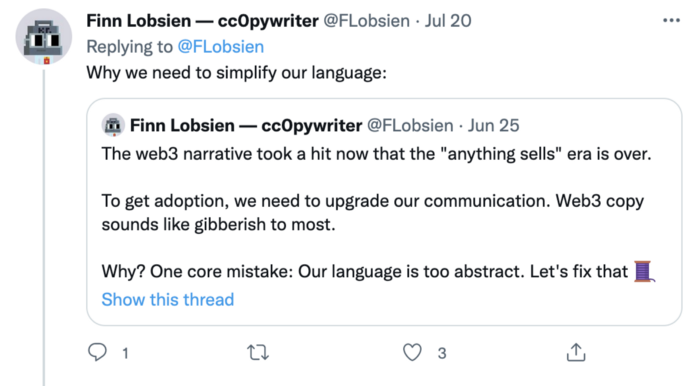
Web3 preached to the choir. Curious newcomers have only found whitepapers and scams when trying to learn why the community loves it. No wonder people resist education and buy-in.
Due to the gender gap in crypto (Crypto Bro is not just a stereotype), it attracts people singing to the choir or trying to cash in on the next big thing.
Last year, the industry was booming, so writing wasn't necessary. Now that the bear market has returned (for everyone, but especially web3), holding readers' attention is a valuable skill.
White papers and the Web3
Why does web3 rely so much on non-growth content?
Businesses must polish and improve their messaging moving into the 2022 recession. The 2021 tech boom provided such a sense of affluence and (unsustainable) growth that no one needed great marketing material. The market found them.
This was especially true for web3 and the first-time crypto believers. Obviously. If they knew which was good.
White papers help. White papers are highly technical texts that walk a reader through a product's details. How Does a White Paper Help Your Business and That White Paper Guy discuss them.
They're meant for knowledgeable readers. Investors and the technical (academic/developer) community read web3 white papers. White papers are used when a product is extremely technical or difficult to assist an informed reader to a conclusion. Web3 uses them most often for ICOs (initial coin offerings).

White papers for web3 education help newcomers learn about the web3 industry's components. It's like sending a first-grader to the Annotated Oxford English Dictionary to learn to read. It's a reference, not a learning tool, for words.
Newcomers can use platforms that teach the basics. These included Coinbase's Crypto Basics tutorials or Cryptochicks Academy, founded by the mother of Ethereum's inventor to get more women utilizing and working in crypto.
Discord and Web3 communities
Discord communities are web3's opposite. Discord communities involve personal communications and group involvement.
Online audience growth begins with community building. User personas prefer 1000 dedicated admirers over 1 million lukewarm followers, and the language is much more easygoing. Discord groups are renowned for phishing scams, compromised wallets, and incorrect information, especially since the crypto crisis.
White papers and Discord increase industry insularity. White papers are complicated, and Discord has a high risk threshold.
Web3 and writing ads
Copywriting is emotional, but white papers are logical. It uses the brain's quick-decision centers. It's meant to make the reader invest immediately.
Not bad. People think sales are sleazy, but they can spot the poor things.
Ethical copywriting helps you reach the correct audience. People who gain a following on Medium are likely to have copywriting training and a readership (or three) in mind when they publish. Tim Denning and Sinem Günel know how to identify a target audience and make them want to learn more.
In a fast-moving market, copywriting is less about long-form content like sales pages or blogs, but many organizations do. Instead, the copy is concise, individualized, and high-value. Tweets, email marketing, and IM apps (Discord, Telegram, Slack to a lesser extent) keep engagement high.
What does web3's messaging lack? As DAOs add stricter copyrighting, narrative and connecting tales seem to be missing.
Web3 is passionate about constructing the next internet. Now, they can connect their passion to a specific audience so newcomers understand why.
You might also like

Alex Mathers
2 years ago
How to Produce Enough for People to Not Neglect You
Internet's fantastic, right?
We've never had a better way to share our creativity.
I can now draw on my iPad and tweet or Instagram it to thousands. I may get some likes.
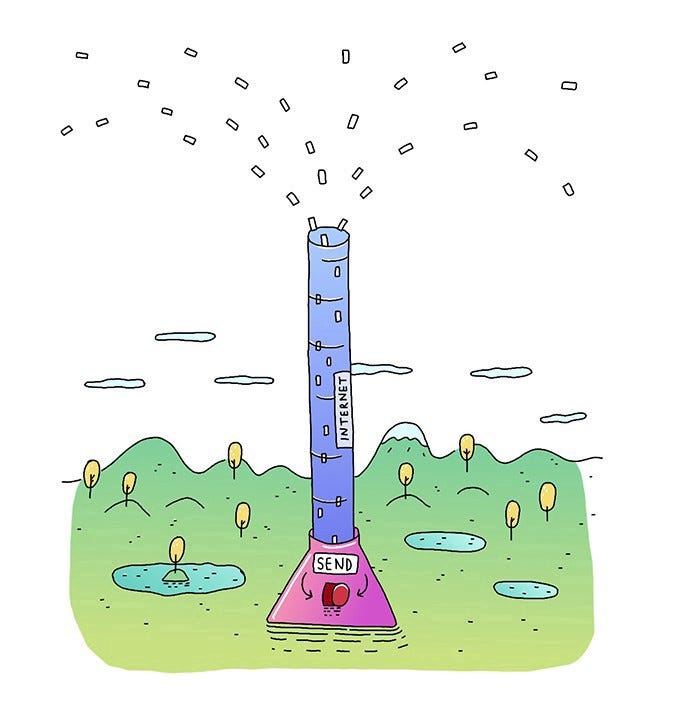
With such a great, free tool, you're not alone.
Millions more bright-eyed artists are sharing their work online.
The issue is getting innovative work noticed, not sharing it.
In a world where creators want attention, attention is valuable.
We build for attention.
Attention helps us establish a following, make money, get notoriety, and make a difference.

Most of us require attention to stay sane while creating wonderful things.
I know how hard it is to work hard and receive little views.
How do we receive more attention, more often, in a sea of talent?
Advertising and celebrity endorsements are options. These may work temporarily.
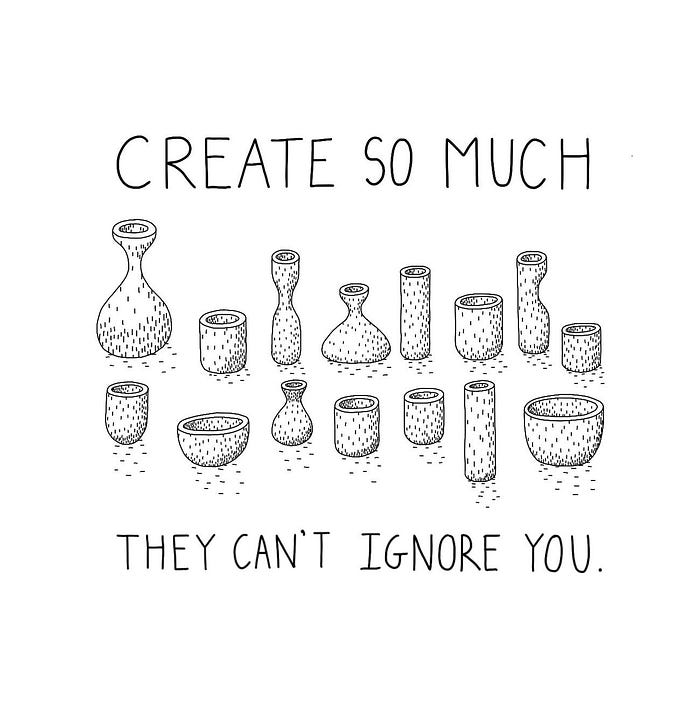
To attract true, organic, and long-term attention, you must create in high quality, high volume, and consistency.
Adapting Steve Martin's Be so amazing, they can't ignore you (with a mention to Dan Norris in his great book Create or Hate for the reminder)
Create a lot.
Eventually, your effort will gain traction.
Traction shows your work's influence.
Traction is when your product sells more. Traction is exponential user growth. Your work is shared more.
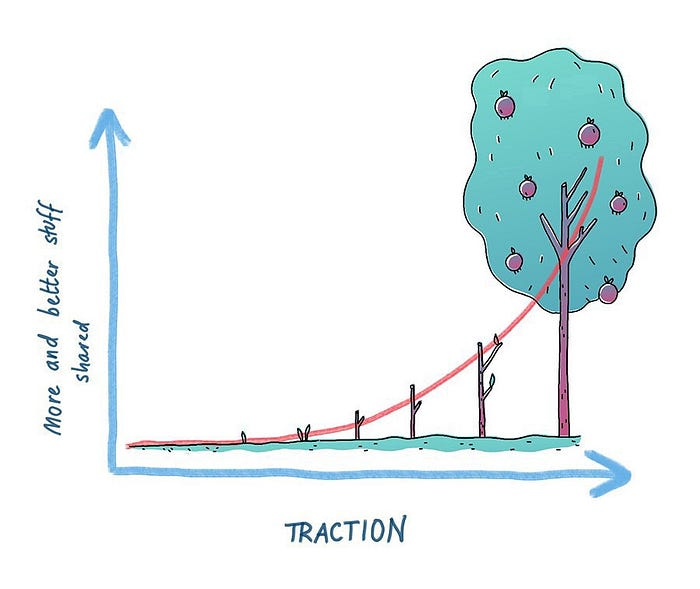
No matter how good your work is, it will always have minimal impact on the world.
Your work can eventually dent or puncture. Daily, people work to dent.
To achieve this tipping point, you must consistently produce exceptional work.
Expect traction after hundreds of outputs.
Dilbert creator Scott Adams says repetition persuades. If you don't stop, you can persuade practically anyone with anything.
Volume lends believability. So make more.
I worked as an illustrator for at least a year and a half without any recognition. After 150 illustrations on iStockphoto, my work started selling.

With 350 illustrations on iStock, I started getting decent client commissions.
Producing often will improve your craft and draw attention.
It's the only way to succeed. More creation means better results and greater attention.
Austin Kleon says you can improve your skill in relative anonymity before you become famous. Before obtaining traction, generate a lot and become excellent.
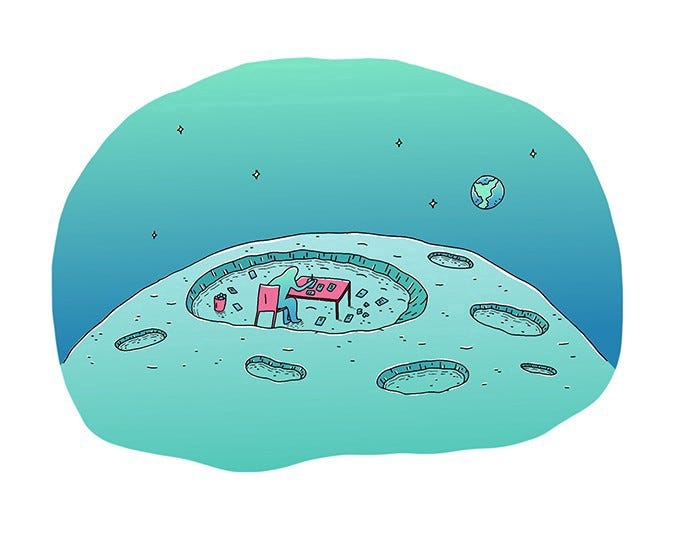
Most artists, even excellent ones, don't create consistently enough to get traction.
It may hurt. For makers who don't love and flow with their work, it's extremely difficult.
Your work must bring you to life.
To generate so much that others can't ignore you, decide what you'll accomplish every day (or most days).
Commit and be patient.
Prepare for zero-traction.
Anticipating this will help you persevere and create.
My online guru Grant Cardone says: Anything worth doing is worth doing every day.
Do.

Shruti Mishra
3 years ago
How to get 100k profile visits on Twitter each month without spending a dime

As a marketer, I joined Twitter on August 31, 2022 to use it.
Growth has been volatile, causing up-and-down engagements. 500 followers in 11 days.
I met amazing content creators, marketers, and people.
Those who use Twitter may know that one-liners win the algorithm, especially if they're funny or humorous, but as a marketer I can't risk posting content that my audience won't like.
I researched, learned some strategies, and A/B tested; some worked, some didn't.
In this article, I share what worked for me so you can do the same.
Thanks for reading!
Let's check my Twitter stats.

Tweets: how many tweets I sent in the first 28 days.
A user may be presented with a Tweet in their timeline or in search results.
In-person visits how many times my Twitter profile was viewed in the first 28 days.
Mentions: the number of times a tweet has mentioned my name.
Number of followers: People who were following me
Getting 500 Twitter followers isn't difficult.
Not easy, but doable.
Follow these steps to begin:
Determine your content pillars in step 1.
My formula is Growth = Content + Marketing + Community.
I discuss growth strategies.
My concept for growth is : 1. Content = creating / writing + sharing content in my niche. 2. Marketing = Marketing everything in business + I share my everyday learnings in business, marketing & entrepreneurship. 3. Community = Building community of like minded individuals (Also,I share how to’s) + supporting marketers to build & grow through community building.
Identify content pillars to create content for your audience.
2. Make your profile better
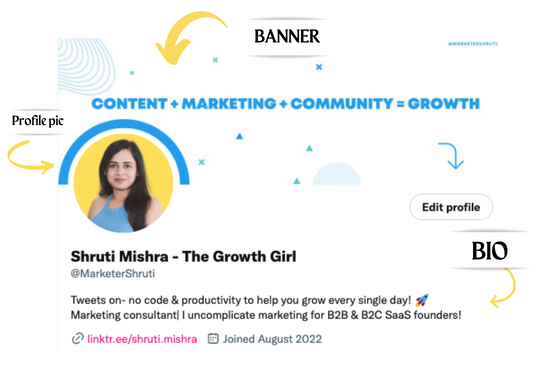
Create a profile picture. Your recognition factor is this.
Professional headshots are worthwhile.
This tool can help you create a free, eye-catching profile pic.
Use a niche-appropriate avatar if you don't want to show your face.
2. Create a bio that converts well mainly because first impressions count.
what you're sharing + why + +social proof what are you making
Be brief and precise. (155 characters)
3. Configure your banner
Banners complement profile pictures.
Use this space to explain what you do and how Twitter followers can benefit.
Canva's Twitter header maker is free.
Birdy can test multiple photo, bio, and banner combinations to optimize your profile.
Versions A and B of your profile should be completed.
Find the version that converts the best.
Use the profile that converts the best.
4. Special handle
If your username/handle is related to your niche, it will help you build authority and presence among your audience. Mine on Twitter is @marketershruti.
5. Participate expertly
Proficiently engage while you'll have no audience at first. Borrow your dream audience for free.
Steps:
Find a creator who has the audience you want.
Activate their post notifications and follow them.
Add a valuable comment first.
6. Create fantastic content
Use:
Medium (Read articles about your topic.)
Podcasts (Listen to experts on your topics)
YouTube (Follow channels in your niche)
Tweet what?
Listicle ( Hacks, Books, Tools, Podcasts)
Lessons (Teach your audience how to do 1 thing)
Inspirational (Inspire people to take action)
Consistent writing?
You MUST plan ahead and schedule your Tweets.
Use a scheduling tool that is effective for you; hypefury is mine.
Lastly, consistency is everything that attracts growth. After optimizing your profile, stay active to gain followers, engagements, and clients.
If you found this helpful, please like and comment below.

Nikhil Vemu
3 years ago
7 Mac Tips You Never Knew You Needed
Unleash the power of the Option key ⌥

#1 Open a link in the Private tab first.
Previously, if I needed to open a Safari link in a private window, I would:
copied the URL with the right click command,
choose File > New Private Window to open a private window, and
clicked return after pasting the URL.
I've found a more straightforward way.
Right-clicking a link shows this, right?
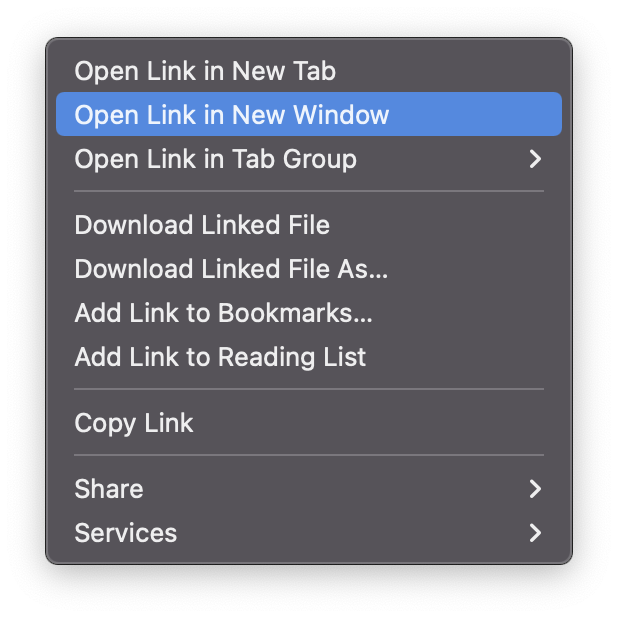
Hold option (⌥) for:
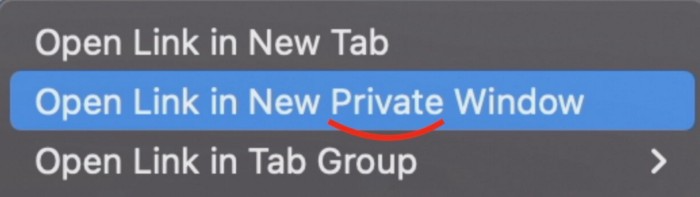
Click Open Link in New Private Window while holding.
Finished!
#2. Instead of searching for specific characters, try this
You may use unicode for business or school. Most people Google them when they need them.
That is lengthy!
You can type some special characters just by pressing ⌥ and a key.
For instance
• ⌥+2 -> ™ (Trademark)
• ⌥+0 -> ° (Degree)
• ⌥+G -> © (Copyright)
• ⌥+= -> ≠ (Not equal to)
• ⌥+< -> ≤ (Less than or equal to)
• ⌥+> -> ≥ (Greater then or equal to)
• ⌥+/ -> ÷ (Different symbol for division)
#3 Activate Do Not Disturb silently.
Do Not Disturb when sharing my screen is awkward for me (because people may think Im trying to hide some secret notifications).
Here's another method.
Hold ⌥ and click on Time (at the extreme right on the menu-bar).
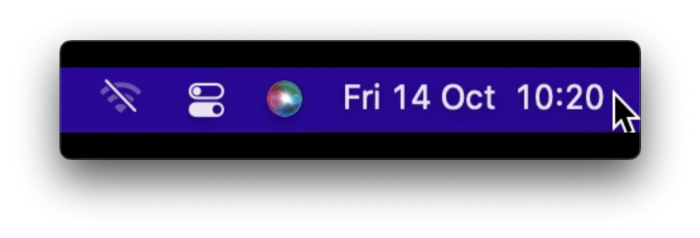
Now, DND is activated (secretly!). To turn it off, do it again.
Note: This works only for DND focus.#4. Resize a window starting from its center
Although this is rarely useful, it is still a hidden trick.
When you resize a window, the opposite edge or corner is used as the pivot, right?
However, if you want to resize it with its center as the pivot, hold while doing so.
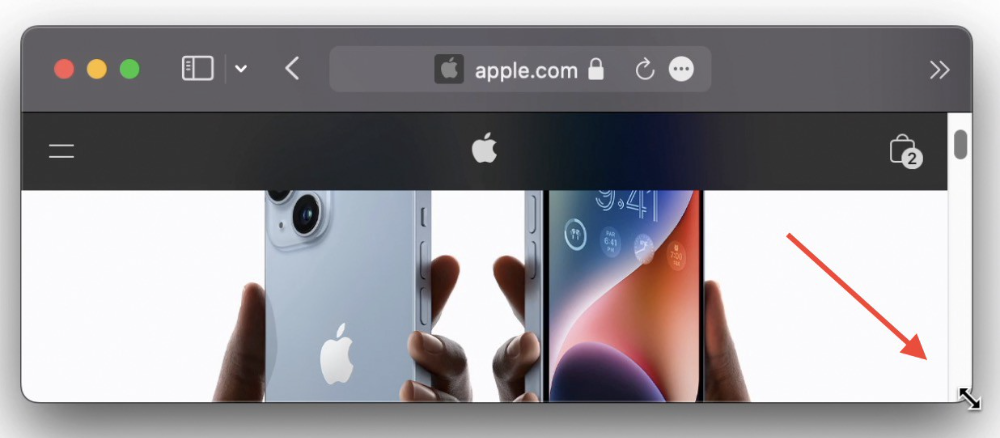
#5. Yes, Cut-Paste is available on Macs as well (though it is slightly different).
I call it copy-move rather than cut-paste. This is how it works.
Carry it out.
Choose a file (by clicking on it), then copy it (⌘+C).
Go to a new location on your Mac. Do you use ⌘+V to paste it? However, to move it, press ⌘+⌥+V.
This removes the file from its original location and copies it here. And it works exactly like cut-and-paste on Windows.
#6. Instantly expand all folders
Set your Mac's folders to List view.
Assume you have one folder with multiple subfolders, each of which contains multiple files. And you wanted to look at every single file that was over there.
How would you do?
You're used to clicking the ⌄ glyph near the folder and each subfolder to expand them all, right? Instead, hold down ⌥ while clicking ⌄ on the parent folder.
This is what happens next.
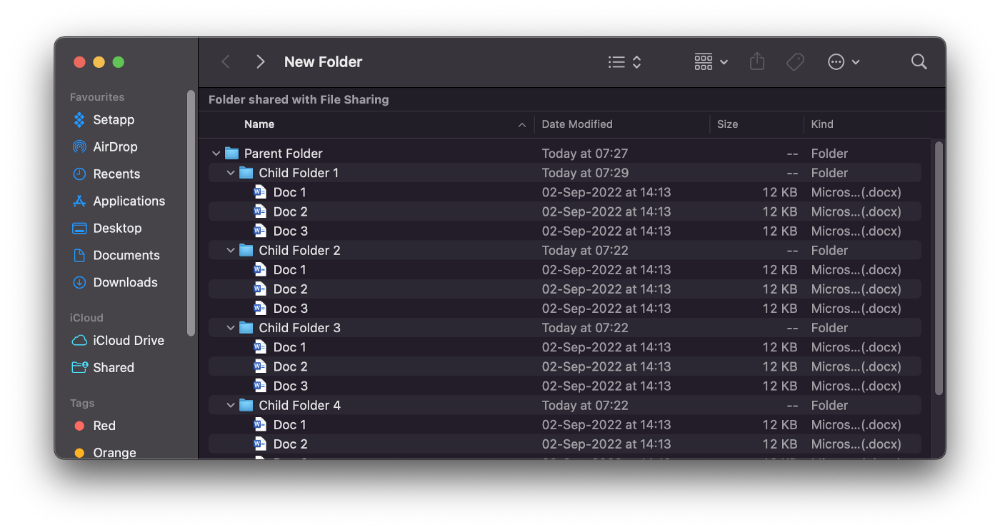
Everything expands.
View/Copy a file's path as an added bonus
If you want to see the path of a file in Finder, select it and hold ⌥, and you'll see it at the bottom for a moment.
To copy its path, right-click on the folder and hold down ⌥ to see this
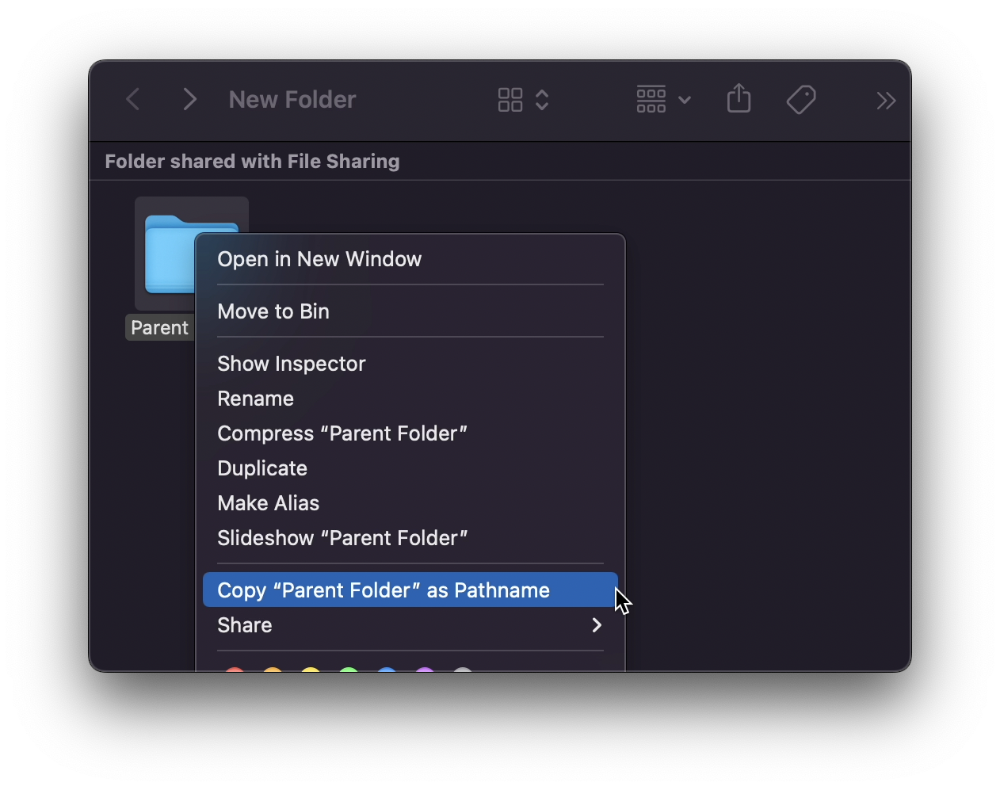
Click on Copy <"folder name"> as Pathname to do it.
#7 "Save As"
I was irritated by the lack of "Save As" in Pages when I first got a Mac (after 15 years of being a Windows guy).
It was necessary for me to save the file as a new file, in a different location, with a different name, or both.
Unfortunately, I couldn't do it on a Mac.
However, I recently discovered that it appears when you hold ⌥ when in the File menu.
Yay!